Spyware marketing and spyware fear share a habit: vagueness. Vendors promise to show “everything”; victims imagine an all-seeing eye. The reality is more mechanical and far more useful to understand: every spyware capability maps to a specific Android permission or access grant. Spyware can only see what the access it obtained allows — no more, no less. Map the capabilities to their permissions and two things happen: the magic evaporates, and you know exactly which settings screens reveal what any given app could have taken.
Here’s that map, capability by capability.
Location: the easiest take
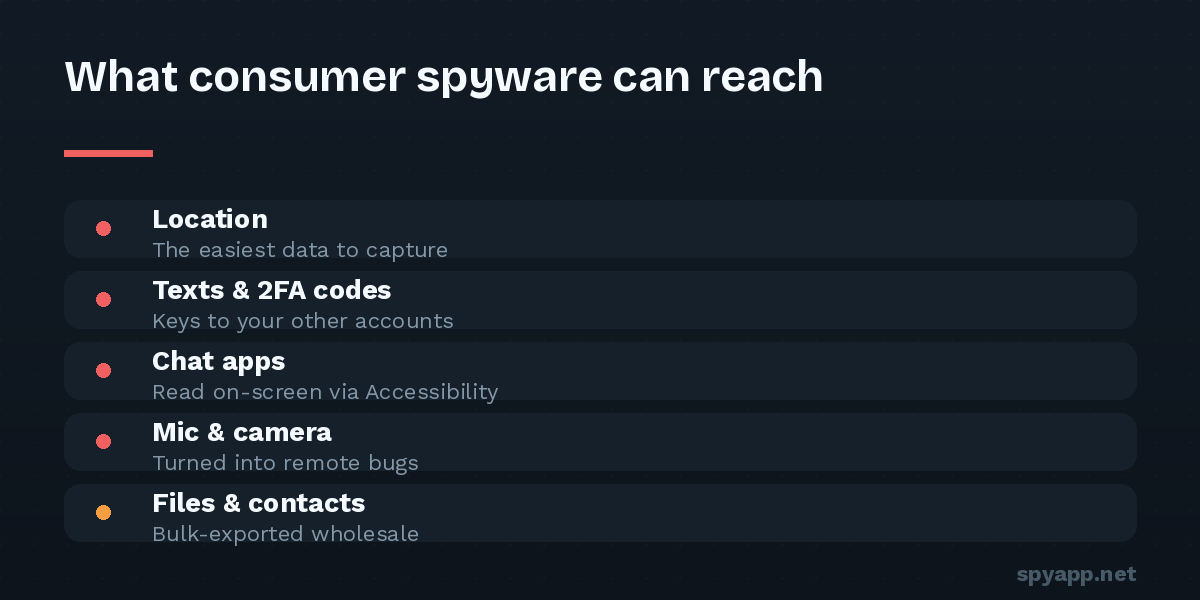
Powered by: Location permission — especially “Allow all the time” (background location).
With it, spyware reports your position continuously: live tracking, history, patterns of life — home, work, routines, deviations from them. GPS polling is also power-hungry, which is why tracking-heavy infections show up in battery diagnostics.
Audit: Settings → Location → App location permissions, with special attention to the “all the time” group.
Text messages: the keys to your accounts
Powered by: SMS permissions (read / receive / send).
Reading your SMS means reading your two-factor authentication codes — which converts phone surveillance into account takeover. Receive access intercepts messages as they arrive, silently; send access enables fraud billed to you. This is why SMS access in any app without an obvious SMS job is among the heaviest red flags in our permissions guide.
Audit: Settings → Privacy → Permission manager → SMS.
Chat apps — WhatsApp, Messenger, Telegram: the Accessibility route
Here’s the part that surprises people. Modern chat apps encrypt messages in transit, and Android’s sandbox blocks one app from reading another’s data. So how does spyware show your WhatsApp threads on someone’s dashboard?
Powered by: Accessibility services — and it doesn’t break any encryption. An accessibility service reads the screen. Whatever you can see, it can see: every chat you open, every message as it’s displayed, every word as you type it, in any app. Encryption protects messages on the wire; Accessibility reads them at the one place they must be plain — where they’re shown to you.
A second, quieter route: notification access, which reads every notification including message previews — a partial chat feed without touching the apps at all.
Audit: Settings → Accessibility → Downloaded apps (anything here can read your screen), and the notification access list. These two screens are the heart of the hidden spy app audit.
Calls: the log always, the audio sometimes
Powered by: Call log permissions for the metadata — who, when, how long: your social graph in a table. Actual call recording is harder: modern Android restricts it heavily, so spyware attempts it through Accessibility abuse, with results varying by device — sometimes both sides, sometimes one muffled half, sometimes nothing. Capability honesty: assume the log is always taken; recorded audio, often attempted but not reliable.
Audit: Permission manager → Call logs and Phone.
Microphone and camera: the bugging features
Powered by: RECORD_AUDIO and CAMERA permissions — plus, for the genuinely creepy version, auto-start (RECEIVE_BOOT_COMPLETED) so the capability survives reboots and runs without the app ever being opened.
Ambient recording — listening to the room, not just calls — is a standard stalkerware feature. Remote photo capture exists too, though modern Android’s indicator dots (the green camera/mic dot in the status bar) make silent capture harder than vendor marketing implies. A green dot with no app visibly using camera or mic is worth investigating the same minute.
Audit: Permission manager → Microphone and Camera; on recent Android, Privacy dashboard shows a timeline of which app used them, when.
Photos, files, contacts, calendar: the bulk export
Powered by: storage/media permissions, Contacts, Calendar.
Less dramatic, enormously invasive: your photo library (with its embedded location data), documents, your entire address book — which compromises other people — and your schedule. These are one-time bulk grabs plus ongoing sync, cheap to take and silent.
Audit: Permission manager → Files/Photos, Contacts, Calendar.
Keystrokes and passwords
Powered by: Accessibility again (watching text fields as you type), or a malicious keyboard app — an input method you installed that logs by design.
Everything you type, including things typed and deleted before sending, and — depending on Android version and app protections — passwords as entered. Combined with intercepted SMS codes, this is the full account-takeover kit, and it’s why the response to confirmed spyware always includes changing passwords from a different device (removal guide, step 6).
Audit: the Accessibility list once more, and Settings → System → Keyboard — every keyboard listed should be one you chose.
What spyware generally can’t do
Honesty cuts both ways. Consumer spyware on an unrooted, updated phone generally cannot: break end-to-end encryption itself (it reads screens instead — so a clean Accessibility list genuinely protects your chats), read other apps’ private storage directly, survive a factory reset, or install itself remotely with no interaction (see our no-touch spying explainer). Its powers are exactly the permissions someone granted it — usually in ten minutes with the phone unlocked.
Turning the map into protection
Notice what this article quietly became: every “powered by” line is also a checklist entry. Audit five screens — Accessibility, notification access, device admin, Permission manager’s sensitive categories, and the keyboard list — and you’ve audited everything consumer spyware can be. And before any app gets onto your phone from outside the Play Store, you can read its requested powers in advance: upload the APK to our free scanner and the report lists every capability on this page that the file is asking for, in plain English, while it’s still just a file and not yet a witness.