Search this question and you’ll find two kinds of answers: marketing pages from spy-app vendors implying anyone can be monitored remotely (right before selling you “protection” or, worse, the spy app itself), and movie-logic articles about hackers who take over phones through thin air. The honest answer is less dramatic and more useful: for ordinary people, true no-touch infection is rare. The realistic ways phones get monitored almost always involve something more mundane — and every one of them is something you can check today.
The short answer
Genuinely remote, zero-interaction phone compromise exists — but it lives at the top of the market. Exploits that infect a phone with no tap, no install and no mistake are extremely expensive, closely guarded, and historically used against high-value targets: journalists, activists, politicians, executives. They are not what’s monitoring an ordinary person’s phone, because nobody spends that kind of capability on ordinary surveillance when far cheaper routes exist.
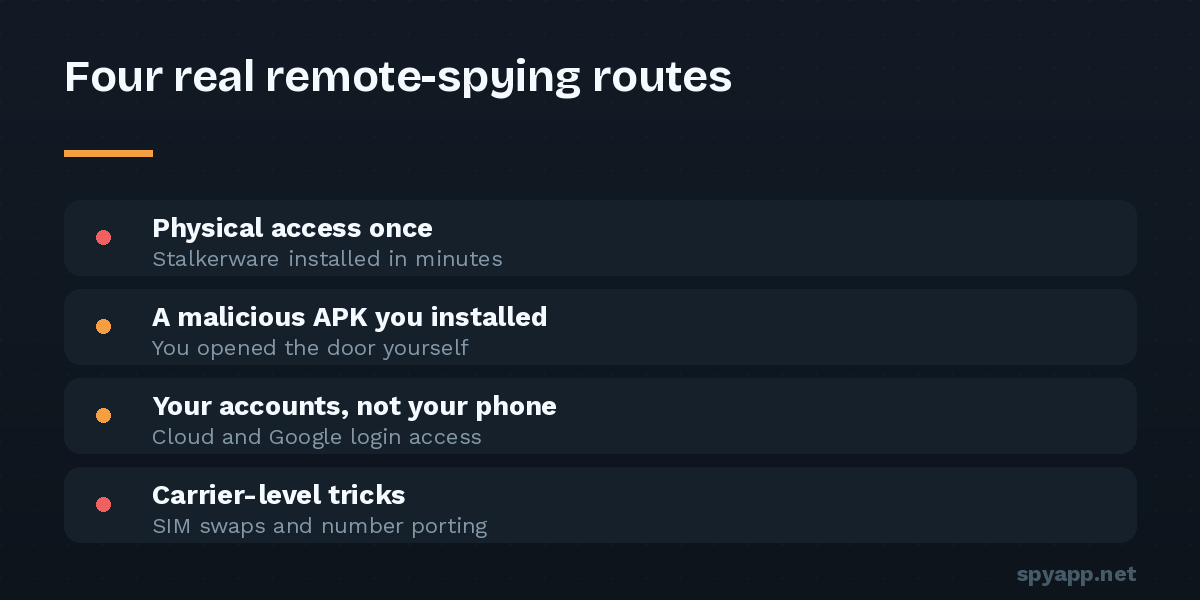
For everyone else, “spying without touching the phone” almost always turns out, on inspection, to be one of four things — three of which never touch the phone at all.
Route 1: They touched it once (the stalkerware route)
The most common scenario behind “I think someone is spying on me”: a person with physical access — partner, ex, family member — had the phone unlocked for ten minutes at some point. That’s enough to install commercial stalkerware, hide its icon, and hand the phone back. From that moment on, the monitoring is remote: they read a web dashboard, not your phone. It feels like no-touch spying because the touch happened weeks ago.
This is why the question “who has known my PIN or had my unlocked phone?” matters more than any technical scan. If the answer includes someone you have reason to distrust, work through our hidden spy app checks — and if that person is a partner or ex, read the stalkerware guide first, because removal has safety implications.
Route 2: You touched it for them (the malicious APK route)
The second route also isn’t remote — it’s delegated. You installed the spyware yourself, disguised as something else: a “free premium” mod, a game cheat, an app from a link in a chat message, a fake update. No one needed your phone; they only needed you to tap “Install” once.
The defense is the routine that takes three minutes: judge the source, and scan any APK from outside the Play Store before installing it. A scan would have caught most of what arrives by this route.
Route 3: Your accounts, not your phone
Here’s the one that genuinely requires no contact with the device — and it’s the most overlooked. Your Google account is a remote window into your phone: location history, backups, photos, contacts, even the ability to install apps remotely from the Play Store website. Someone who knows or guessed your password — or whose own device is still signed into your account — can see a great deal while never going near your phone.
The same applies to shared ecosystems people forget they’re in: family location-sharing set up years ago, Find My Device access, a cloud photo library still syncing to an ex’s tablet, a messaging app’s web session left logged in on someone else’s computer.
Check it now: in your Google account, review Security → Your devices and sign out anything unfamiliar; check Google Maps → Location sharing for shares you forgot; review web sessions in your messaging apps (WhatsApp → Linked devices, Telegram → Devices). Then change the password and turn on two-factor authentication. For many people who feel watched, the explanation — and the fix — is entirely in this section.
Route 4: The carrier-level tricks
A small cluster of phone-number attacks needs no access to your device either: call forwarding quietly configured on your line, or SIM-swap fraud, where an attacker convinces your carrier to move your number to their SIM (mainly used to intercept 2FA codes during account theft, not for ongoing surveillance). Dial #21# and #62# to review forwarding; if your phone suddenly loses all service for no reason, contact your carrier immediately from another line. A carrier PIN/port-freeze, which most carriers offer, closes the SIM-swap door.
What about the scary stuff — links, Wi-Fi, Bluetooth?
Briefly, honestly:
- “One click” links: clicking a link can lead to a phishing page or a download prompt — both still need you to act. Drive-by infection of an up-to-date Android phone from a mere click is exploit-grade rare. Keep your phone updated and the risk stays theoretical.
- Public Wi-Fi: HTTPS encrypts nearly all app traffic now; coffee-shop snoops see metadata, not messages. The realistic Wi-Fi risks are fake login portals and prompts to install something — covered in our public Wi-Fi article.
- Bluetooth: keep it patched, don’t pair with unknown devices; real-world Bluetooth surveillance of ordinary users is essentially absent.
None of these deserve the anxiety budget that Routes 1–4 do.
The checklist that settles it
If you suspect monitoring, run this in order — it covers every realistic route in about fifteen minutes:
- Accessibility and device admin lists — the screens spyware can’t hide from (full walkthrough).
- Google account audit — devices, sessions, location sharing, password, 2FA.
- Messaging-app linked devices — sign out everything you don’t recognize.
- Dial codes for call forwarding; carrier PIN set.
- Scan any suspicious APKs you find with our free scanner for a verdict instead of a guess.
If all five come back clean, the honest conclusion is that your phone is very probably not being monitored — and you’ve just hardened every door that realistic attackers actually use. The fear of invisible, untouchable spying mostly evaporates once you know the visible, touchable places it would have to live.