Ask a security researcher which single Android setting they’d check on a suspect phone, and most will name the same screen: the Accessibility services list. Built with the best intentions — making phones usable for people with visual, motor and other disabilities — the Accessibility framework necessarily holds extraordinary power: reading everything on screen and acting on the user’s behalf. Stalkerware, banking trojans and spyware of every kind have made it their mechanism of choice, because one toggle in one settings screen hands over more capability than a dozen ordinary permissions combined. Understanding this one feature explains most of modern Android malware — and auditing it takes two minutes.
What the framework legitimately does
A screen reader for blind users must read every element on screen and speak it. A switch-access tool for users with motor impairments must tap, swipe and type on the user’s behalf. Voice-control software must do both. To serve these genuine needs, Android lets an app register an accessibility service with, potentially, two sweeping capabilities:
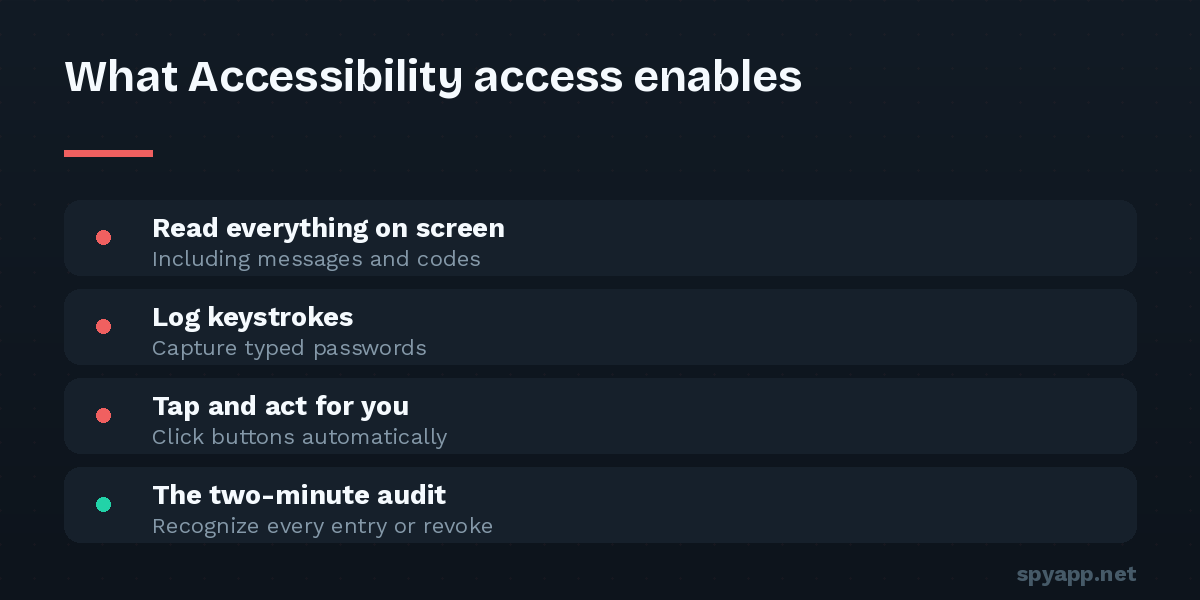
- Observe: receive the content of the screen and the events on it — text appearing, fields being typed into, windows changing — across every app.
- Act: perform gestures and input — taps, swipes, text entry — as if the user did them.
There’s no way to build a real screen reader with less. The power isn’t a design flaw; it’s the honest cost of accessibility. The flaw is what else that power enables.
What abuse looks like
Grant the same two capabilities to a malicious app and translate:
Observe becomes total surveillance. Every chat in every messenger as it’s displayed, both sides; everything you type, including drafts deleted before sending; in many configurations, passwords as entered. This is how stalkerware reads end-to-end encrypted apps without breaking any encryption — it reads your screen, where messages must appear in plain text for you (the centerpiece of our what-spyware-sees explainer).
Act becomes a hostile operator inside the phone. Banking trojans use it to grant themselves further permissions — tapping “Allow” on their own dialogs faster than you can see — to type and confirm transactions, and to combine with screen overlays into complete credential theft. Defensive abuse too: some spyware watches for you opening its settings page and closes it, or taps “Cancel” on its own uninstall dialog.
This is why a single Accessibility grant outweighs a page of ordinary permissions: location permission gives an app your location; Accessibility gives it your everything, ongoing, plus hands.
Why Google can’t simply fix it
Google has tightened relentlessly: Play Store policies restricting which apps may request the API, prominent warnings at grant time, “restricted settings” on recent Android versions that block sideloaded apps from enabling Accessibility without an extra deliberate unlock, and Play Protect flagging known abusers. Each round helps; none can end it, because the legitimate use requires the dangerous capability. There is no version of “read the whole screen for blind users” that can’t also read the whole screen for an abuser. The framework can be fenced, audited and warned about — it cannot be defanged without breaking accessibility itself. Which moves the decisive control to the one place it can live: the grant.
How malware talks you into the grant
Since the toggle must be flipped by a human, abuse is a social-engineering problem, and the scripts are standard:
- The vague necessity: “Enable Accessibility for the app to work properly” — with no accessibility feature anywhere in sight.
- The false pretext: battery savers, cleaners and “boosters” claiming to need it for optimization (they don’t; nothing about optimization requires reading your screen).
- The guided grant: step-by-step screenshots walking the user — or, for stalkerware, the installer with the victim’s unlocked phone — through Settings to the toggle.
- The overlay assist: the nastier trick, drawing fake instructions over the real settings screen so the user grants the service while believing they’re doing something else.
The defense is one rule with almost no exceptions: an app gets Accessibility access only if its purpose is accessibility — a screen reader, switch access, voice control you chose for that reason. A password manager’s autofill is the rare borderline case with a real justification. A game, cleaner, VPN, or “monitoring” app asking for it has identified itself.
The two-minute audit
Settings → Accessibility → Downloaded apps (Samsung: Installed apps). Read every entry that’s enabled and apply the rule above. For each:
- Recognize it and chose it for accessibility? Fine.
- Recognize the app, but it has no accessibility purpose? Toggle it off — the app will complain or break the feature that depended on it; that’s a conversation the app should have won honestly.
- Don’t recognize it at all? You may have just found spyware. Don’t uninstall in a rush: note the exact name, and check the companions — Device admin apps (resistance to removal) and the app’s full permission list. The hidden-app audit continues from here, and if a partner or ex may be involved, the safety-first removal guide explains why order and timing matter before anything is deleted.
For a verdict rather than a judgment call, export the suspect’s APK and run it through our free scanner — requesting the accessibility binding is one of the heaviest signals in our analysis, flagged explicitly in the report alongside signature matches and the rest of the permission story.
Catching it before the grant: scan the file
The audit catches abuse after installation; the better moment is before. Every APK declares in its manifest whether it includes an accessibility service — declared, not hidden, because the system requires it. That means a pre-install scan sees the request while the app is still just a file: upload anything from outside the Play Store to the scanner and the report states it plainly, weighted accordingly in the verdict. An APK that is ostensibly a game or a “phone tracker for parents” carrying an accessibility service has already confessed; our permissions guide places this flag at the top of its hierarchy for exactly this reason.
The takeaway
Accessibility abuse is the rare security story where the entire battlefield is one screen and one decision. The framework’s power can’t be reduced without harming the people it exists for, Google’s fences can slow but not stop the social engineering, and so the grant — your grant — is the control that matters. Give it only to genuine accessibility tools, audit the list monthly in two minutes, treat every other request for it as the confession it is, and the single most dangerous mechanism on Android becomes, on your phone, a door that simply never opens.