Security writing throws around a family of similar words — malware, spyware, adware, stalkerware, trojan — often loosely enough that they blur together. The differences matter, though, because each category behaves differently on your phone, carries different risks, and calls for a different response. Here’s the map, in plain English, with Android examples throughout.
Malware: the umbrella
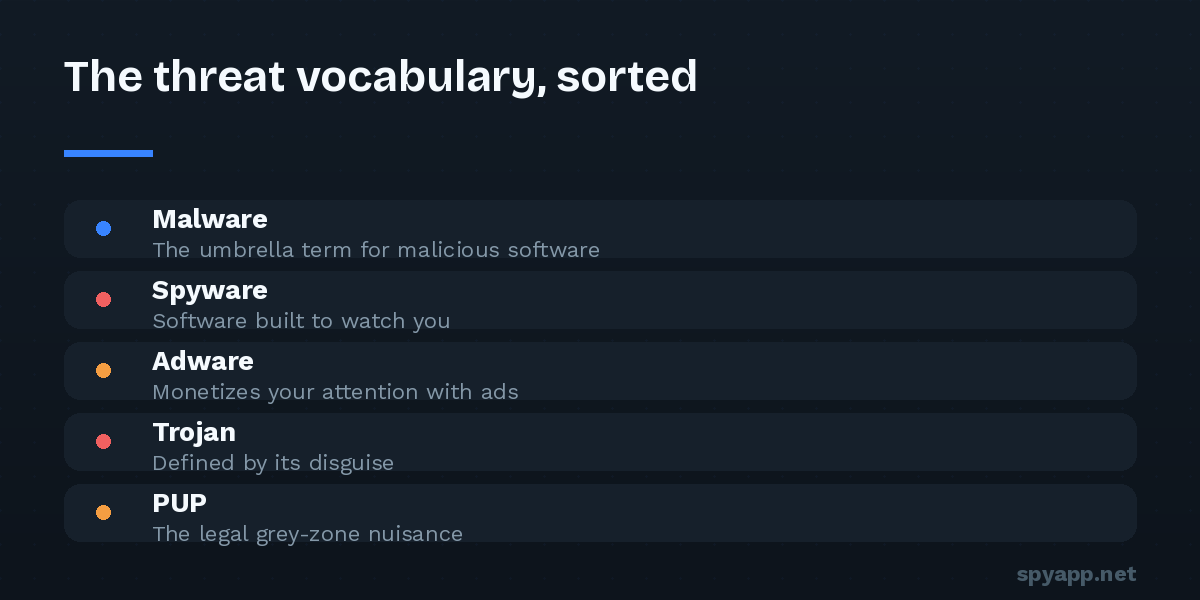
Malware (malicious software) is the umbrella term for any software designed to act against the interests of the device’s owner. Everything else in this article is a kind of malware — or, in adware’s case, sometimes a borderline neighbor of it. When a scan report or a news story says “malware” without qualification, it means “malicious, category unspecified.”
So the real question is never “is it malware or spyware?” — spyware is malware. The useful distinctions are about what the software does and how it gets in.
Spyware: software that watches you
Spyware collects information about you without informed consent and sends it to someone else. On Android that means reading messages and call logs, tracking location, harvesting contacts and photos, recording audio, logging keystrokes, or capturing the screen — usually several at once, uploaded quietly in the background.
Spyware’s defining trait is stealth as a feature: it works best when you never notice it, so it hides its icon, disguises its name, and minimizes visible behavior. Its costs still leak out — battery, data, heat — which is why the classic detection signs are resource symptoms plus unexplained entries in Accessibility and device-admin settings (our warning-signs guide covers all ten).
Stalkerware is spyware’s most personal subspecies: commercial spyware marketed as “monitoring” software and used to surveil a specific person — typically a partner — by someone with physical access to their phone. Technically it’s ordinary spyware; practically it’s different in one crucial way: the attacker is someone in your life, which changes how you should respond. Our stalkerware guide covers the safety-first approach.
Adware: software that monetizes your attention
Adware exists to push advertising at you and get paid per view or click. The mild end is annoying but disclosed: a free app with banner ads is just a business model. Adware earns its place in security discussions at the aggressive end:
- Ads injected outside the app — pop-ups on your home screen, full-screen ads when you unlock the phone, notifications that are ads in disguise.
- Hidden ad activity: invisible browsers loading and “clicking” ads in the background, draining battery and data for fraud you never see.
- Aggressive data harvesting to target those ads — which is where adware shades into spyware.
The line between “monetized app” and “adware” is consent and proportion; the line between adware and spyware is what gets collected. Plenty of apps live in the grey zone, which is why scan verdicts have a middle category: our scanner returns WARNING for exactly this tier — not provably malicious, but bundling aggressive ad SDKs or requesting data far beyond its purpose.
Trojans: defined by the disguise
A trojan is defined not by what it does but by how it arrives: malware disguised as something desirable. On Android the costume is usually an APK — a “premium unlocked” mod of a paid app, a fake update, a game cheat, a repackaged copy of a famous brand. You install it voluntarily because the disguise worked.
What’s inside varies: spyware, a banking-credential stealer (overlay attacks that paint fake login screens over real banking apps), an SMS fraudster, a dropper (a small clean-looking app that later downloads the real payload), or a RAT — remote access trojan — giving an attacker live control. The disguise is the constant; the payload is whatever pays.
This is why source skepticism and certificate checks matter so much: a trojan can copy an app’s icon and interface perfectly, but it can’t copy the developer’s signing certificate — the check that exposes repackaged fakes in our pre-install routine.
PUPs and the legal grey zone
PUP — potentially unwanted program — is the industry’s diplomatic term for software that’s technically consensual but practically hostile: apps that bury data collection on page 14 of a privacy policy, bundle extras you didn’t ask for, nag relentlessly, or resist uninstallation. Not quite malware by legal definition, not quite legitimate by any human one. Most “cleaner” and “booster” apps live here, promising performance magic Android doesn’t need while collecting whatever they can.
A note on viruses and ransomware
Two famous terms round out the vocabulary. A virus is technically malware that self-replicates by infecting other files — common in PC history, rare on Android, where the word survives mostly as a synonym for malware in general (“my phone has a virus”). Ransomware encrypts your data or locks your screen and demands payment; it exists on Android but is far less common than on desktops, partly because app sandboxing limits what one app can encrypt, and cloud-synced photos and contacts blunt the leverage.
Why the categories change what you do
- Adware/PUP: uninstall, review what permissions it held, move on. Annoyance, not emergency.
- Spyware: assume collected data is gone — after removal, change passwords from a clean device and audit account sessions. The removal guide covers the order of operations.
- Stalkerware: safety planning before removal — deleting it alerts the installer.
- Banking trojan: contact your bank immediately, freeze what can be frozen, then clean the device.
One file can be several things at once — a trojan (by delivery) carrying spyware (by behavior) with adware bolted on (for extra revenue). Categories describe aspects, not exclusive boxes. That’s also how to read a scan report: the verdict tells you the severity; the findings beneath it — the signature family, the permission profile, the hidden-icon flag — tell you which of these stories you’re in, and therefore which response the situation calls for.
The vocabulary isn’t academic. Name the threat correctly and the right next step usually names itself.