Ask this question in an Android forum and you’ll get two religious answers: “never, are you insane” and “I’ve sideloaded for ten years, never had a problem.” Both are testimony, not analysis. The honest answer is conditional: sideloading is a trade — you give up the Play Store’s filters in exchange for freedom the store doesn’t offer — and whether that trade is safe depends almost entirely on how you make it. Here’s the trade laid out plainly, and the five rules that tilt it in your favor.
What the Play Store actually does for you
To weigh what sideloading gives up, name it precisely. An app installed from the Play Store passes through real, if imperfect, filters:
- Submission screening — automated and policy review before listing, which keeps the bulk of obvious malware out.
- Play Protect — on-device scanning that continues after install and can warn about or remove apps that turn hostile.
- Identity and accountability — developer accounts cost money, leave a trail, and can be banned; signature consistency is enforced across updates.
- Automatic updates — security fixes arrive without you thinking about them.
- The crowd — millions of users, reviews, and researchers watching popular listings.
Malware does slip through; “it was on the Play Store” is not a guarantee. But the base rate of trouble inside the store is dramatically lower than outside it, and every filter above is something a random download link does not have.
The legitimate reasons to go outside anyway
Sideloading exists for real needs, and pretending otherwise just makes guides preachy:
- Regional and policy gaps — apps unavailable in your country, or apps store policies exclude entirely.
- Older versions — the update that broke your workflow, or the last version that supports your aging phone.
- Alternative sources — open-source repositories and developers who distribute directly.
- Early releases and betas distributed as APKs.
- No Google services — de-Googled phones have no store to use.
Notice what’s not on the list: “premium unlocked free.” Wanting a paid app without paying isn’t a sideloading use case — it’s the bait on the hook, and modified “free premium” APKs are the single most reliable malware delivery channel on Android. Our modded-APK article covers why that economy works the way it does.
What the risk actually is
Outside the store, the realistic threats are specific, not vague: repackaged apps — real apps with malware injected and re-signed, visually identical to the original; impersonation sites — download pages dressed as official sources for famous apps; trojan utilities — flashlights, cleaners and VPNs that are spyware wearing a function; and droppers — clean-looking installers that fetch the real payload later. What they share: each is detectable before installation, by checks that take three minutes. Which brings us to the rules.
The five rules of safe sideloading
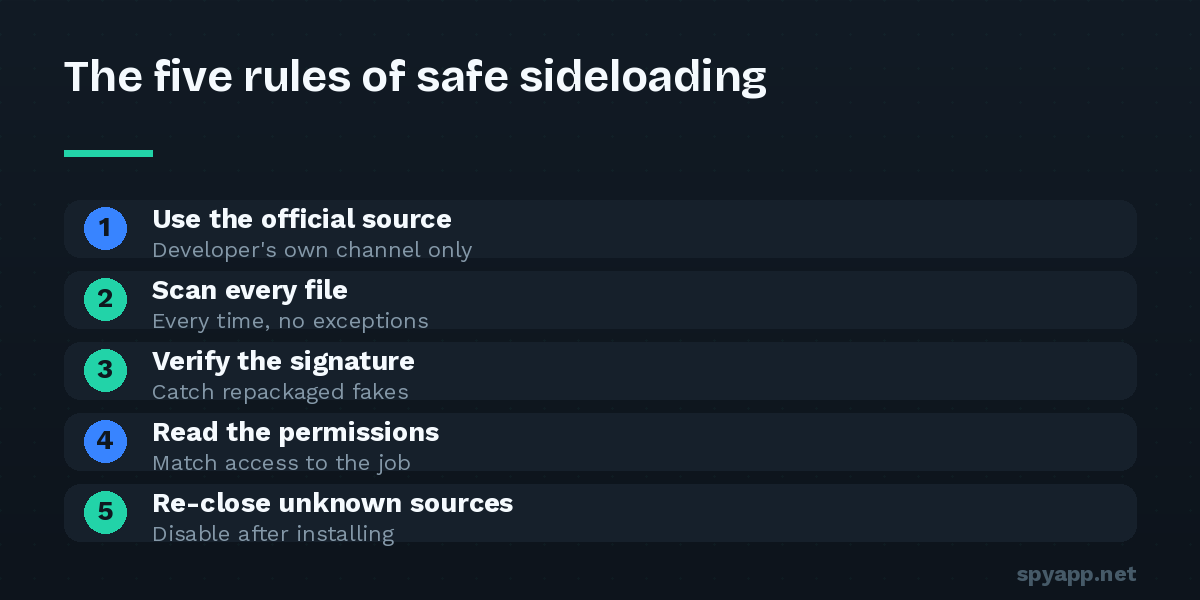
Rule 1: Source first. Download from the developer’s own site or a long-established repository with a reputation to lose — never from forum attachments, chat-group files, or sites whose appeal is that everything is free. The source decision filters out more risk than every later check combined.
Rule 2: Scan every file, every time. Before installing, upload the APK to our free scanner. The report gives you a verdict against known malware and spyware signatures, the complete permission list in plain English, the signing certificate, and community votes from others who met the same file. Thirty seconds; the habit is the protection. The full pre-install routine is in our step-by-step guide.
Rule 3: Read the permission report like a skeptic. The question is always purpose-fit: does this app’s job explain this access? A keyboard with GPS, a wallpaper app with microphone access, anything non-accessibility requesting Accessibility — these are answers, not ambiguities. The permissions guide is the reference.
Rule 4: Verify identity for anything sensitive. Installing a well-known app from an APK? The scan report shows the signing certificate — a famous name signed by an unknown certificate is a repackaged fake regardless of how perfect it looks. If the developer publishes a SHA-256 checksum, compare it with the report’s; a match is mathematical proof you have the exact official file.
Rule 5: Close the door behind you. Android makes you grant “Install unknown apps” to whichever app handles the install. After installing, revoke it: Settings → Apps → Special app access → Install unknown apps → Not allowed. A permanently open install door turns one deliberate sideload into a standing vulnerability — and “this setting already enabled” is one of the signs in our spyware checklist for a reason.
The honest verdict
So — is it safe? Within the rules: reasonably, yes. A sideloaded app from its developer’s official site, scanned clean, with purpose-fitting permissions and a verified certificate, installed deliberately with the door closed afterward, carries modest risk — far closer to store-level than to the horror stories. Outside the rules: no, and the failures are predictable. The people burned by sideloading are overwhelmingly burned by the same three choices — untrusted sources, “free premium” bait, and no scan — not by bad luck.
Two situations deserve a stricter standard than the rules alone. Banking and money apps: install only from the store; the repackaging economy targets these specifically, and the downside is your account. Other people’s phones: a parent’s or child’s device you won’t be monitoring shouldn’t sideload at all — leave unknown sources off and Play Protect on, and make “send me the file first” the family rule (our scanner exists for exactly that conversation).
Sideloading is Android keeping a promise — that the device is yours. Keeping yourself safe while collecting on that promise isn’t luck or expertise. It’s five rules, three minutes, every time.