Walk the feature lists of a legitimate parental-control app and a stalkerware product and you’ll find uncomfortable overlap: location, screen time, app monitoring, sometimes message visibility. The technology doesn’t differ as much as the ethics do — which is exactly the cover stalkerware vendors exploit by labeling surveillance tools “parental control” or “family safety.” So the question “is this app parental control or stalkerware?” can’t be answered by the feature list alone. It’s answered by six questions about how the product works and who it’s pointed at — and the answers are surprisingly clear-cut once you know what to ask.
The one-sentence test
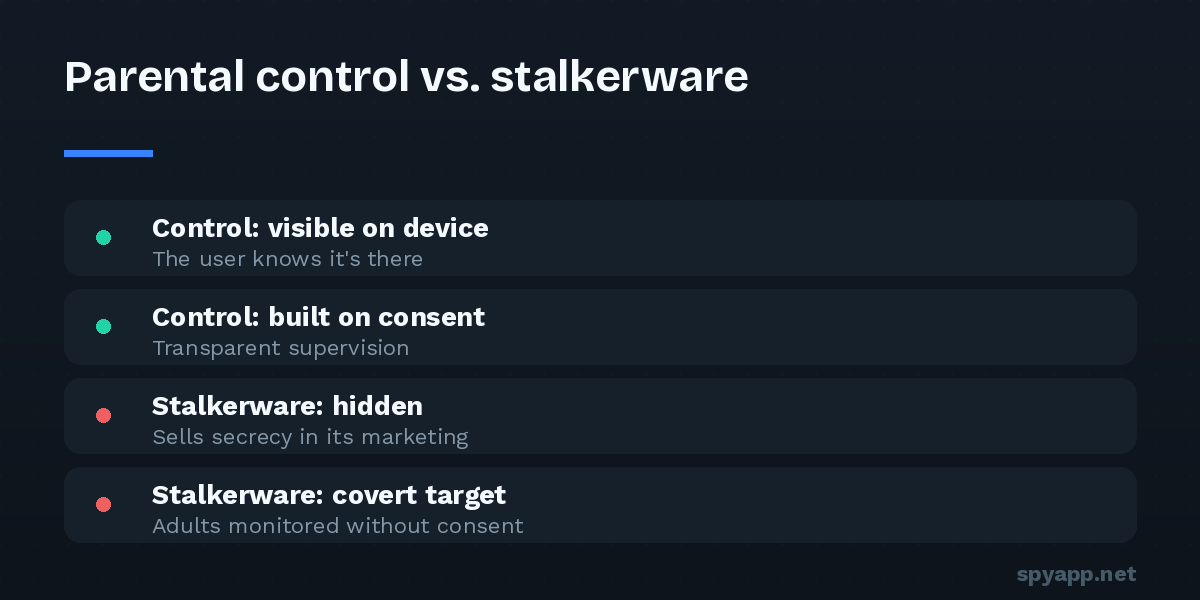
Before the six questions, the principle they all serve: legitimate monitoring is transparent to the person being monitored; stalkerware is built to be secret from them. Everything else — marketing language, feature sets, terms of service — is detail. A tool designed so that the person carrying the phone doesn’t know it’s there has declared its purpose, whatever its homepage says.
Question 1: Is the app visible on the device?
Legitimate parental-control products show up: an icon, often a persistent notification or an explicit “this device is supervised” indicator. Google’s own Family Link — the reference example — tells the child exactly what’s managed and lets them see the supervision settings.
Stalkerware hides: the icon disappears after setup, the app renames itself “Sync Service” or “Device Health” in the app list, and the product manual treats invisibility as the headline feature. There is no child-safety justification for hiding from the person carrying the phone — visibility is precisely what makes supervision honest. An app that hides has answered the question.
Question 2: Does the marketing sell secrecy?
Read the product’s own words. Legitimate tools sell outcomes for families: screen-time balance, content filtering, location safety for young kids. Stalkerware sells invisibility and catching: “100% undetectable,” “they’ll never know,” “catch a cheating spouse,” “see everything they hide.” Some sites run family-safety language on the homepage and catch-a-cheater language in their ads and blog, where the real customers are found. Five minutes with the marketing usually settles what the product is for.
Question 3: Who is the stated — and actual — target?
Parental control has a coherent scope: parents supervising minor children, with features that age down gracefully — heavier oversight for an eight-year-old, tapering autonomy for a teen. Stalkerware’s feature set only makes sense against adults: call recording, full message archives, ambient listening. Ask of any feature: “what child-safety problem does this solve?” Secret ambient audio has no good answer.
And to say it plainly: any product marketed for monitoring a spouse, partner, or other adult without their knowledge isn’t in a grey zone. Covertly surveilling an adult is illegal in most jurisdictions — typically under wiretapping, computer-misuse, or stalking laws — regardless of the label on the software.
Question 4: How does it handle consent?
Legitimate vendors put consent at the center: confirmation that you have authority over the device, visible disclosure on the monitored phone, age-appropriate design. Stalkerware vendors bury a one-line “only use on devices you own or with consent” in their terms — a legal fig leaf contradicted by the product’s entire design — while shipping features (icon hiding, tamper alerts sent to the installer, remote uninstall to destroy evidence) that exist only to defeat the consent their terms pretend to require.
Question 5: What does installation demand?
Installation tells the truth. Legitimate family tools live in official app stores, install normally, and use Android’s supervised-account frameworks. Stalkerware typically must be sideloaded — store policies prohibit it — and its setup manual is a tour of defeating the phone’s protections: disable Play Protect, allow unknown sources, grant Accessibility access, grant device admin, hide the icon. Any “parental control” product whose first instruction is switching off the phone’s built-in malware protection has told you which side of the line it lives on. Our guide to Android’s dangerous permissions explains why that specific combination — Accessibility plus device admin plus hidden icon — is the spyware signature.
Question 6: What happens when it’s found?
The last tell. A legitimate tool, discovered, has nothing to defend: it’s visible by design, removable through normal settings, and supervision ends when the parent ends it. Stalkerware fights: device-admin rights grey out the uninstall button, some products detect attempts to open their settings page and close it, and many alert the installer the moment they’re tampered with. Software that resists its own removal has no honest purpose on anyone’s phone.
Scoring an app you’ve found
If you’ve discovered a monitoring app on a phone — yours or a family member’s — run it through the six questions, or skip to the empirical answer: export its APK and upload it to our free scanner. Known stalkerware families are flagged by signature, and the report shows the hidden-icon behavior, the Accessibility and device-admin requests, and the full permission list in plain English. The verdict doesn’t care what the marketing says.
Two follow-ups depending on whose phone it is:
On your own phone, installed without your knowledge: this is stalkerware in operation regardless of the product’s category, and the safe response is not immediate deletion — removal is visible to whoever installed it. Read our stalkerware guide for the safety-first sequence before touching it.
On your child’s phone, installed by you or considered: choose tools that pass the six questions — visible, store-distributed, consent-aware, age-appropriate. Beyond ethics, there’s a practical reason: covert tools teach kids that surveillance is how trust works, and they fail anyway — children find them, and the discovery costs more relationship than the monitoring ever protected. Transparent supervision plus conversation outperforms secret software at the actual goal, which was never data. It was safety.
The line, restated
Features don’t separate parental control from stalkerware; design intent does, and design intent is visible in six places: visibility on the device, honesty in the marketing, a target the features fit, real consent, an installation that doesn’t fight the phone, and a removal that doesn’t fight the user. Six questions, six tells — and a free scan when you’d rather have a verdict than a judgment call.