The factory reset is Android security’s nuclear option, and its reputation is deserved: a reset wipes the data partition where apps live, which removes virtually every piece of consumer spyware and stalkerware in existence. And yet people sometimes reset, breathe easy, and find the symptoms back within weeks. The reset didn’t fail — something reintroduced the problem. Understanding what a reset destroys, what it can’t touch, and the three comeback routes is the difference between actually starting clean and merely rebooting your surveillance.
What a factory reset actually does
“Factory reset” (Settings → System → Reset options → Erase all data) wipes the user data partition: every installed app, every app’s data, accounts, settings, and files stored on the phone. The operating system itself — on its own read-only partition — stays, which is why the phone still boots afterward, fresh as the day it was unboxed.
Since consumer spyware and stalkerware are ordinary apps living on that data partition, a reset deletes them along with everything else. No special removal order, no fighting device-admin locks, no hunting hidden icons — the partition simply ceases to exist. For the question “will a reset remove the spy app on my phone?”, the answer is yes, essentially always.
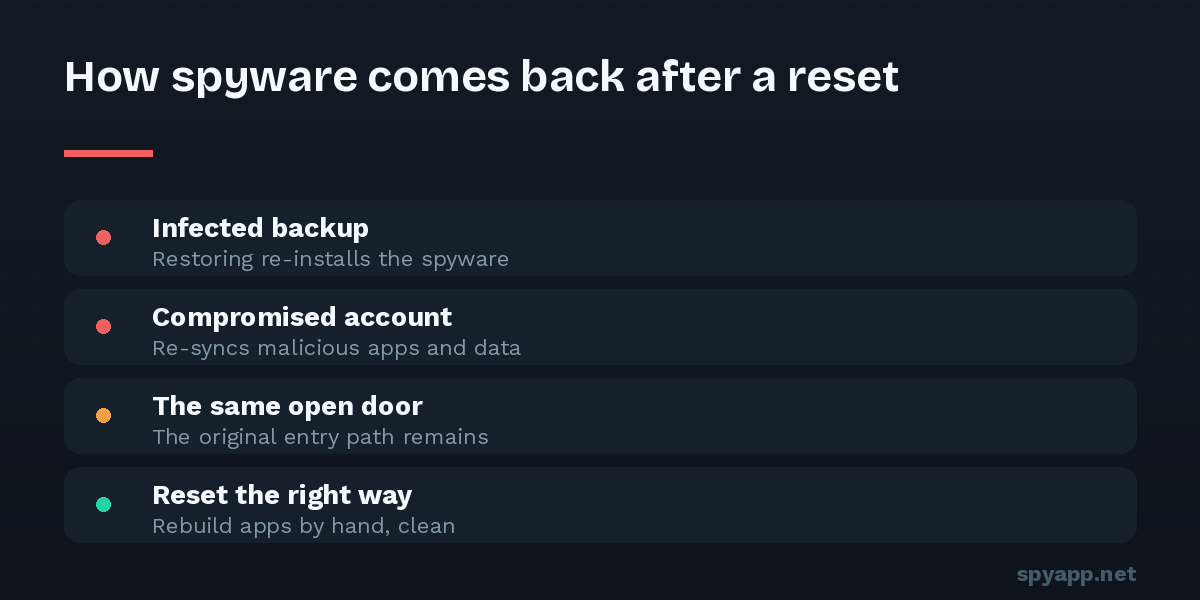
So why do some phones seem haunted afterward? Three routes — none of which involve the spyware surviving the wipe.
Comeback route 1: The infected backup
The most common one. You reset, sign in, and Android helpfully offers to restore your apps and data from backup. Say yes to a full restore, and you may reinstall the very thing you just erased — or restore the settings and side-loaded packages that came with it.
The fix is a discipline, not a trick: restore selectively. Photos, contacts, and messages synced through your Google account are fine — they’re data, not apps. What you avoid is the blanket “restore all apps from your old phone” step. Reinstall apps by hand from the Play Store, one by one, only the ones you actually use. Tedious for an hour; clean for good.
Comeback route 2: The compromised account
A reset wipes the phone — not your Google account. If the person who put spyware on your phone also knows your Google password (in stalkerware cases, they very often do), the reset changed nothing for them: location history keeps flowing, backups remain readable, and the Play Store’s web interface can even push app installs to your freshly reset phone remotely.
This is why the password change is not an optional follow-up — it’s half the reset. From a clean device: change the Google password, enable two-factor authentication (authenticator app, not SMS), review Security → Your devices and sign out everything you don’t recognize, and check recovery email and phone number — attackers plant their own there to regain access later. Then do the same for email, banking, and messaging accounts. Our guide to account-based tracking covers why this route needs no malware at all.
Comeback route 3: The same open door
Spyware arrived somehow — and a reset doesn’t close doors, it just empties the room. If the original route was physical access (a partner who knows your PIN), the same ten unlocked minutes reinstall it next month. If it was a sideloaded APK, the next “free premium” download repeats history.
Closing the door means: a new PIN nobody has seen entered, no biometric entries that aren’t yours (Settings → Security → Fingerprints — count them), “Install unknown apps” denied for every app, Play Protect on, and the scan-before-install habit for anything from outside the Play Store. If the likely installer is a partner or ex, please read our stalkerware guide — the safety considerations around removal apply equally to resets, since the surveillance going dark is visible to whoever was watching.
The genuinely rare cases where a reset isn’t enough
For completeness, the exceptions — rare, but real:
- A rooted phone. If whoever installed the spyware also rooted the device, malware can in principle live outside the data partition. If a root-checker app says your phone is rooted and you didn’t do it, a reset may not suffice — reflashing official firmware (or professional help) is the cure, and the level of access that implies is itself important information.
- A “gift” phone you didn’t set up. A device that arrived pre-configured from someone you’ve come to distrust could have been modified before you ever touched it. Reset it and set it up entirely yourself — or, if the stakes are high, treat the device itself as untrusted.
- A work-managed profile. Corporate management survives in a different sense — it reinstalls by policy when you re-enroll. That’s not malware, but know what your employer’s profile can see.
These are edge cases. For the overwhelming majority — spyware that arrived as an installed app — the reset works completely.
How to reset the right way: the checklist
- Before: back up photos, contacts, and documents specifically (Google Photos, contacts sync, manual file copies) — not a full-device app backup. If the spyware situation may have legal relevance, photograph the evidence first (what to document).
- Reset: Settings → System → Reset options → Erase all data.
- Set up as new. Sign in, but decline the full app/data restore.
- Immediately: change the Google password from the fresh phone or a clean device, enable 2FA, audit signed-in devices and recovery contacts.
- Rebuild by hand: reinstall apps individually from the Play Store; scan any APK you genuinely must sideload with our free scanner first.
- Lock the door: new PIN, your biometrics only, unknown sources off, Play Protect on.
Done in that order, a factory reset isn’t just probably effective — it’s the closest thing to certainty Android offers. The spyware doesn’t survive the wipe. Make sure the circumstances don’t either.