A suddenly hungry battery is the most common reason people first suspect spyware — and the least reliable. Batteries age, apps misbehave, summers are hot, and screens are bright. But the suspicion isn’t silly either: surveillance genuinely is power-hungry, and battery drain is often the first visible symptom of a phone that’s recording and uploading in the background. The skill is telling the two stories apart, and your phone’s own battery screen contains everything needed to do it.
Start with the boring causes — they win most of the time
Before any thought of spyware, rule out the explanations behind the vast majority of battery complaints:
Battery age. Lithium batteries fade. After two or three years a battery holds meaningfully less than when new, and the decline feels sudden because capacity loss accelerates. Some phones show battery health in settings; on others, “is this phone 2+ years old?” is the health check.
Screen time you’re not counting. Check Settings → Digital Wellbeing — usage quietly creeps up, and the screen is the biggest battery consumer on most phones.
A legitimate app behaving badly. Navigation left running, social apps refreshing aggressively, a messenger syncing photos, a game with enthusiastic ads — ordinary apps cause extraordinary drain all the time, especially after updates.
Environment and signal. Heat degrades battery performance, and weak cellular signal makes the radio work hard. A phone in a hot car with one bar drains fast and means nothing.
A recent system update. The days after an Android update bring heavy background re-indexing. Give it a week before judging.
The spyware pattern is different
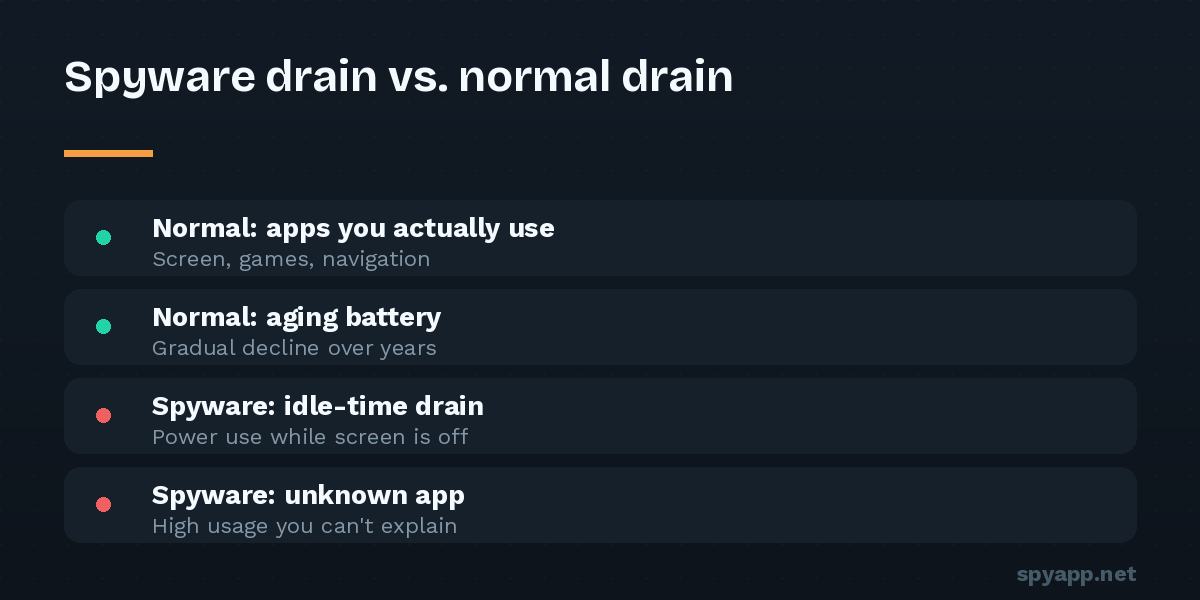
What separates surveillance from the boring causes is when and with what the power disappears. Spyware’s work — GPS polling, audio recording, reading notifications, uploading it all — happens regardless of whether you’re using the phone. That produces a recognizable triple signature:
Idle drain. The battery falls noticeably overnight or during hours the phone sat untouched. A healthy phone loses a few percent overnight; losing a quarter of its charge while “doing nothing” means something was doing a great deal.
Idle data. Surveillance must upload. In Settings → Network & internet → Data usage, spyware shows up as background mobile data in apps that shouldn’t need any — and the consumption correlates with the drain.
Idle heat. A phone that’s warm on the nightstand, screen off, charging finished, is running its processor. Drain plus data plus heat, all at rest, is the pattern no aging battery produces.
How to read the battery screen like an investigator
Open Settings → Battery → Battery usage and work through three questions:
1. Who’s at the top? Screen, your daily apps, and Android system entries are normal. What you’re looking for is an app you don’t recognize — especially one with a generic, official-sounding name (“Sync Service”, “Device Care”, “System Update”) — consuming a real share. Spyware names itself to be skimmed past; read the list slowly.
2. What’s the foreground/background split? Tap suspicious entries. An app you actively use earns its foreground consumption. An app showing heavy background use that you rarely or never open is spending power on work you didn’t ask for. Cross-reference the same app in the data usage screen — heavy background battery plus heavy background data is the surveillance fingerprint.
3. Does the timeline match your usage? The battery graph shows when power was consumed. Steep slopes during hours you were asleep or away from the phone deserve an explanation.
One caution in the other direction: the most professional spyware throttles itself to stay under these radars, so a clean battery screen doesn’t acquit a phone that has other symptoms. Battery analysis is one witness, not the whole trial.
If the spyware pattern fits: confirm before concluding
Battery evidence justifies a closer look, not a verdict. The confirmation steps take ten minutes:
- Check the lists that can’t lie: Settings → Accessibility → Downloaded apps, and Device admin apps. Tracking software needs powerful access it cannot hide from these screens. Our hidden spy app guide walks every list.
- Audit the full app list (Settings → Apps → See all apps) for anything unfamiliar, and inspect the suspicious app’s permissions — location, microphone, SMS in an app with no reason to have them completes the picture.
- Get a verdict on the file. Export the suspect app’s APK with a backup tool and upload it to our free APK scanner: signature matching and a plain-English permission report turn “this app seems hungry” into “this app is stalkerware” — or clear it, so you can keep looking.
- If confirmed, follow the removal guide — and read the safety notes first if a partner or ex may be the installer.
If the boring causes fit: fix the drain anyway
No spyware, just hunger? The same screens fix it: restrict background activity for the heaviest non-essential apps (App info → Battery → Restricted), trim location permissions from “all the time” to “while using,” reduce screen brightness and timeout, and if the phone is several years old, price a battery replacement before pricing a new phone — it’s usually a fraction of the cost and feels like a new device.
The bottom line
Battery drain alone is the least specific symptom in security — but the pattern of drain is genuinely diagnostic. Boring causes drain the phone while you use it; surveillance drains it while you don’t. Idle drain, idle data and idle heat together are worth twenty minutes of checking the lists — and the checking is free, harmless, and ends either in peace of mind or in catching something that was counting on you blaming the battery.