Android security tools come in two basic shapes. An online APK scanner checks an app file before you install it — you upload the APK, engines analyze it, you get a verdict. An installed antivirus lives on your phone and watches what’s already there. People often treat these as competitors. They’re not — they answer different questions at different moments, and the honest comparison is about when each one earns its keep.
The fundamental difference: before vs. after
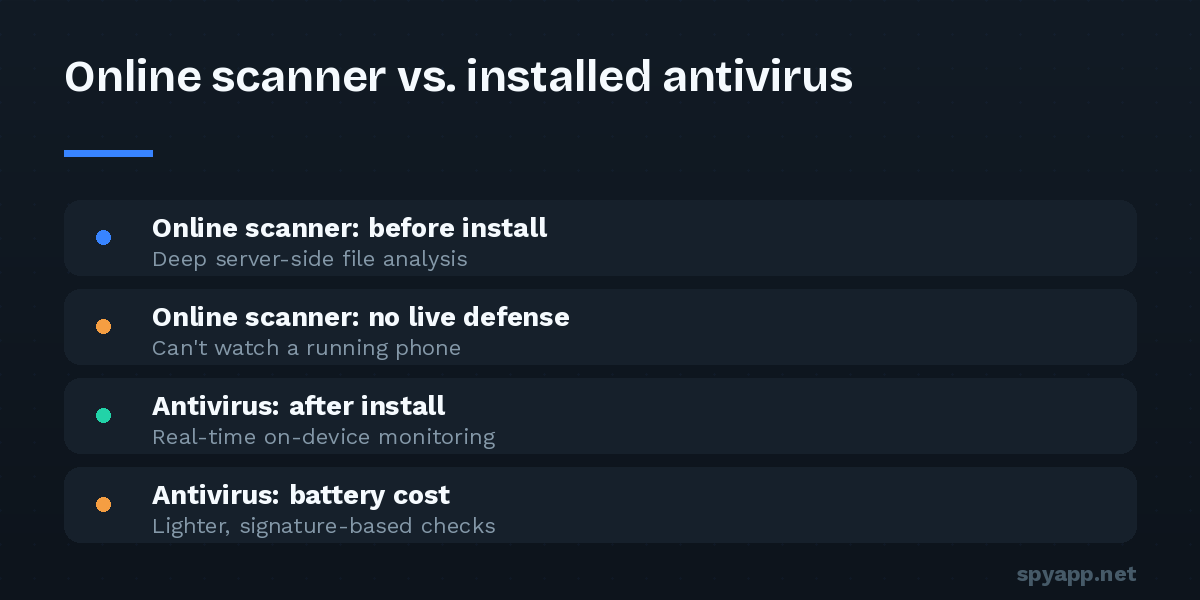
An online scanner operates before the threat is on your device. The malicious file gets inspected while it’s still just a file — inert, harmless, unable to resist. If the verdict is bad, the cost of being right is one tap: delete. Nothing to remove, no damage to undo, no data already gone.
An installed antivirus operates on the device, continuously. It scans apps as they install and run, re-checks them as signature databases update, and can warn about things that were fine yesterday but flagged today.
That timing difference drives everything else.
What an online APK scanner does well
Depth without battery cost. Server-side analysis can afford to be heavy: signature matching, full manifest and permission analysis, certificate verification, code-level inspection for spy-typical behavior — work that would be rude to perform on your battery happens on someone else’s hardware. Our scanner pipeline runs all of it per file in seconds.
A readable verdict, before commitment. The report answers the pre-install questions that matter: does this match known spyware? What can it access? Does the certificate belong to the real developer? Is it hiding a launcher icon? You decide with evidence instead of vibes — the whole pre-install routine hangs on this step.
No footprint. Nothing to install, no permissions to grant, no resident app with its own access to your data — a real consideration given that the security-app category has its own history of overreaching products.
Community memory. A file-hash database means you see what happened when others met the same file: votes, comments, how its verdict evolved. An installed scanner can’t show you that.
Where the online scanner stops
Honesty requires the limits stated plainly:
- It only sees what you send it. Apps already on your phone, files you didn’t think to check, threats that arrive by other routes — invisible to it. It is a checkpoint, not a guard.
- It’s a snapshot. The file is judged as it is today. If a clean-looking dropper downloads its real payload next week, the scan that passed it wasn’t wrong — it was answering yesterday’s question.
- It requires the habit. The tool works every time you use it and never when you don’t. Its effectiveness is exactly your discipline.
What installed antivirus does well
Continuous presence. It re-evaluates the device as things change — new installs from any source, updated signature databases, apps that turn hostile after an update. The dropper that passed a pre-install scan gets a second chance to be caught when its payload arrives.
Coverage of the lazy path. It protects the install you didn’t think about — the one tapped at midnight from a chat link. Checkpoints require remembering; resident software doesn’t.
Extras with real value, depending on the product: web protection against phishing pages, scanning of downloads as they arrive, stalkerware-specific warnings (a feature several reputable products now emphasize).
And it’s worth saying: Android ships with one. Google Play Protect scans installs — including sideloads — and runs periodic checks. It’s not the strongest engine in the industry, but it’s free, native, and the reason “turn off Play Protect” appears in every spyware installation manual. Keep it on; treat anything that asks you to disable it as hostile.
Where installed antivirus stops
- It shares the device with the malware. Resident protection can be targeted: spyware with Accessibility or device-admin powers actively interferes — and the first instruction in most stalkerware manuals is disabling the victim’s protections before installing.
- It costs resources — battery, memory, and often money via subscription upsells.
- The category has its own trust problem. A security app holds sweeping permissions by nature; free antivirus products have repeatedly been caught monetizing user data. Choosing one is itself a trust decision — vet it like any high-permission app.
- Detection lag is real. Brand-new samples and freshly repackaged trojans pass quietly until signatures catch up — true for both tool types, but a resident scanner’s silence feels like safety, which makes the lag more dangerous psychologically.
So which do you need?
The framing is the trick — it’s not a versus. The two cover each other’s blind spots:
If you never sideload and install only from the Play Store: Play Protect plus good permission hygiene covers most realistic risk. An online scanner is still the right tool for the occasional exception — and for checking a file before it ever touches your phone, like an APK someone sent “to try.”
If you sideload at all — even occasionally: the online scanner is non-negotiable, because it’s the only tool that inspects the file while it’s still harmless. Scan every APK from outside a store, every time, as described in our step-by-step routine. Whether you add a third-party antivirus on top depends on your tolerance for resident software; keeping Play Protect on is the minimum.
If you’re securing someone else’s phone — a parent’s, a teenager’s: both, plus the settings audit. Resident protection for the installs you won’t be there to check; the scanner habit taught explicitly (“send me the file first”); and “Install unknown apps” locked down.
If you suspect infection right now: neither tool alone. Follow the manual audit — Accessibility, device admin, full app list — because resident malware may already be blinding the resident protection. Scan extracted APKs online for verdicts the malware can’t interfere with.
The bottom line
An online scanner is a checkpoint: deep, free of footprint, and exactly as strong as your habit of using it. An installed antivirus is a guard: always present, but living in the same house as the threat. Checkpoints catch what guards miss; guards catch what slipped past the checkpoint. Use the checkpoint for every file that bypasses the store, keep the native guard switched on, and the overlap covers the realistic ways Android phones actually get infected.