A VPN occupies a unique position on your phone: by design, every byte of your internet traffic flows through it. You install a VPN precisely to put a middleman between yourself and the network. That makes your choice of VPN one of the highest-trust decisions on your device — and it makes a dishonest VPN the most efficient surveillance tool an attacker could hope for, because the victim installs the wiretap voluntarily, grants it network access enthusiastically, and leaves it running all day.
Now add the economics of “free,” and you have the reason security researchers wince at the free-VPN category — especially free VPN APKs from outside official stores.
The economics: someone is paying for those servers
Running a VPN costs real money: servers around the world, bandwidth measured in petabytes, development, support. A paid VPN covers this with subscriptions. A free VPN must cover it another way, and the options form a spectrum:
- The honest model: a free tier that’s a limited demo of a paid product — capped speed or data, clearly disclosed, run by a company whose business is the paid tier. These exist and are fine.
- The grey model: advertising, plus “anonymized” analytics about your usage sold to data brokers. The product is partly you, as the saying goes — disclosed in a privacy policy nobody reads.
- The dark model: the VPN is the data-collection operation. Browsing history harvested and sold outright; your device enrolled as an exit node in a proxy network sold to third parties (meaning strangers’ traffic — including potentially criminal traffic — exits through your IP address); or the app is simply spyware wearing a padlock icon.
The further you move from official stores toward “Free VPN Turbo Unlimited.apk” on a download site, the more the dark end of the spectrum dominates — because that distribution channel is exactly where accountability ends.
Why VPN apps specifically attract malware authors
Three properties make the VPN disguise close to ideal:
The permission ask looks legitimate. A VPN genuinely needs the VPN service permission and constant network access, and users expect it to run permanently in the background. Behavior that would look alarming in a flashlight app — always on, always transmitting — is the product description here. Background data consumption, the classic spyware tell, is camouflaged perfectly.
The audience pre-selects itself. People hunting for free VPN APKs are often trying to get around something — a geo-block, a school or workplace filter, an app ban — and are therefore already committed to installing from outside official channels. Motivated users with their guard down: a malware author’s favorite demographic.
Trust is the product. The app’s entire pitch is “route your private traffic through us.” A user who accepts that pitch has already granted the conceptual access; the malicious version just acts on it.
What the bad ones actually do
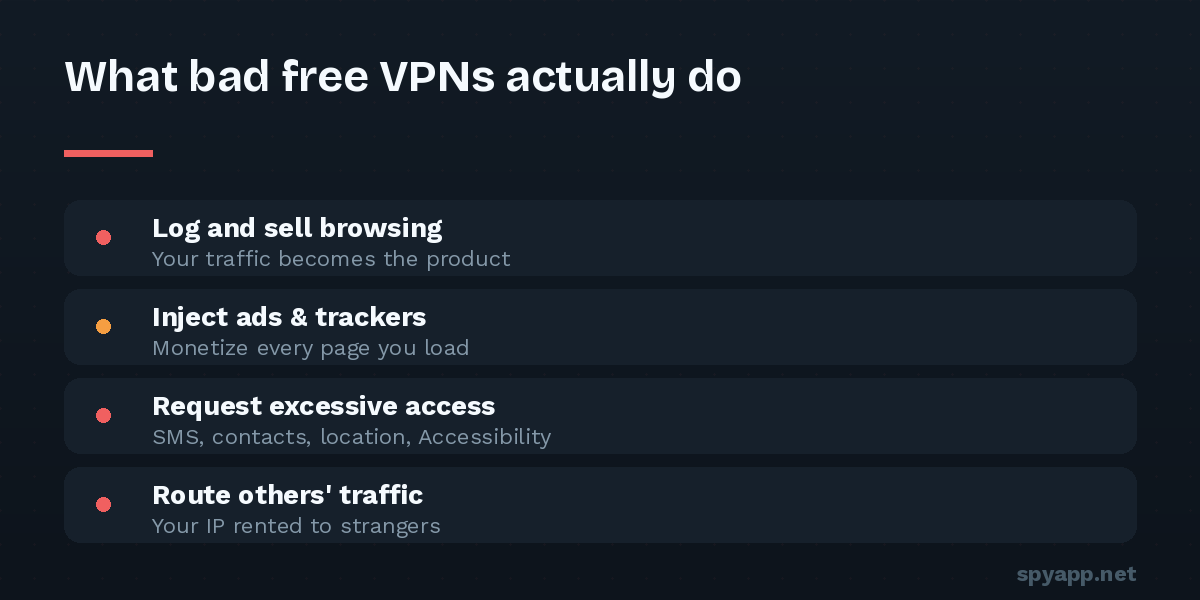
Patterns documented across years of research into rogue VPN apps:
- Traffic logging and resale — the polar opposite of the privacy the padlock promises, with browsing histories sold to brokers.
- Ad fraud — invisible browsers loading and clicking ads in the background, burning your battery and data to bill advertisers.
- Residential proxy enrollment — your phone quietly becomes infrastructure, selling your IP address to unknown buyers.
- Credential and session theft — the nastiest variants intercept what they can, harvest device data wholesale, or carry a spyware payload that has nothing to do with VPN functionality at all: SMS access, contact harvesting, Accessibility abuse.
- The “free mod” of a real VPN — repackaged versions of reputable VPN apps with “premium unlocked,” which are simply trojans using a trusted brand’s face.
How to vet a VPN app in five minutes
The category being risky doesn’t mean every free VPN is malware; it means the burden of proof is on the app. Make it carry that burden:
1. Prefer the official store listing of a named company. A real company, a real website, a history, an actual privacy policy. A VPN whose developer is unfindable is asking for total traffic access while wearing a mask.
2. Scan the APK before installing — especially any VPN from outside a store. Upload it to our free APK scanner and read the report against this question: what does this app request beyond what a VPN needs? A VPN needs network access and the VPN service binding. It does not need your SMS, contacts, call log, camera, microphone, or precise location — and it has no business whatsoever requesting Accessibility access. Our permissions guide explains each red flag; in a VPN, every one of them burns brighter.
3. Check the certificate. If you’re installing a known VPN brand from an APK, the scan report shows the signing certificate — a famous VPN signed by an unknown certificate is a repackaged fake, full stop.
4. Read the privacy policy for one sentence. Find the logging section. “We do not log traffic” (ideally independently audited) versus “we may share usage data with partners” tells you which business model you’re funding.
5. After installing, verify behavior. A VPN you’re not actively using shouldn’t be moving serious data. Watch its background consumption for a few days; a “no-logs” VPN uploading constantly while idle is keeping some kind of diary.
If you’ve been using a questionable one
Uninstall it, then assume the traffic that passed through it was visible to its operator: change passwords for sensitive accounts you used while connected (from the device’s settings, also remove any VPN profiles it left behind: Settings → Network & internet → VPN). Run through our spyware warning signs checklist to make sure it didn’t leave anything else behind.
The bottom line
“Free VPN” isn’t automatically a scam — but it’s a category where the honest minority and the predatory majority look identical on the surface, and where the cost of choosing wrong is total. The fix costs you three minutes: a named company, a scanned APK, a sane permission list, a matching certificate. Any VPN that fails that bar wasn’t protecting your privacy anyway — it was bidding on it.