If you’ve ever downloaded an Android app from a website instead of the Play Store, you’ve handled an APK file — maybe without quite knowing what it was. Since APKs are also the main way malware reaches Android phones, understanding them is one of the most useful bits of security knowledge an Android user can have. This guide covers everything a non-technical person needs.
The short answer
APK stands for Android Package. It is the file format in which Android apps are distributed and installed — every app on your phone arrived as one, even if you never saw the file. When you tap “Install” in the Play Store, Google’s servers send your phone an APK (or a bundle of them) and Android unpacks it. When you download an app from a website, you’re doing the same thing manually.
An APK is technically a ZIP archive with a specific internal structure. Rename one to .zip and you can open it like any archive. Inside, the parts that matter:
- AndroidManifest.xml — the app’s declaration of identity and intent: its name, its components, and crucially every permission it wants. The manifest can’t lie to the system; an app cannot use a permission it didn’t declare here.
- classes.dex — the compiled program code, the app’s actual behavior.
- resources and assets — images, sounds, layouts, languages.
- META-INF/ — the developer’s digital signature, which we’ll come back to, because it’s the foundation of APK security.
Where APKs come from
The Play Store is the default source. Google scans submissions and Play Protect re-checks apps on your device. Imperfect — malware does slip through — but it is a real filter with real teeth, and apps there update automatically.
Third-party repositories range widely in quality. Some are long-established and carefully maintained, with consistent signing and published checksums. Others are little more than file dumps with ads.
Direct downloads — a developer’s own website, a forum link, a file shared in a chat group. Here there is no filter at all. The file is exactly as trustworthy as whoever gave it to you, which is why a pre-install check routine matters most for this category.
Installing from anywhere other than the Play Store is called sideloading. Android allows it — it’s your device — but makes you explicitly grant “Install unknown apps” permission first, precisely because the safety net is gone.
The signature: how Android knows who made an app
Every APK must be digitally signed by its developer before Android will install it. The signature works like a tamper-evident seal: it mathematically covers the entire file, so changing even one byte — to inject spyware into a popular app, say — breaks the seal. The attacker must then re-sign the modified app with their own certificate, because they don’t have the original developer’s private key.
This is the single most useful fact in this article. A modified app can copy the icon, the name, and the look pixel-for-pixel — but it cannot copy the signature. Comparing certificates is how repackaged fakes get caught, and it’s one of the checks our free APK scanner runs on every uploaded file.
The same mechanism powers updates: Android only installs an update if it’s signed with the same certificate as the version already on your phone. That’s why a fake “update” downloaded from a website often fails to install over the real app — the seals don’t match.
What an APK can and can’t do once installed
An installed app lives in a sandbox: its own private storage, no access to other apps’ data, and no access to sensitive resources — camera, microphone, location, SMS, contacts — without permissions you grant. That architecture is genuinely good, and it’s why most Android malware doesn’t “hack” the system at all. It simply asks, politely and misleadingly, for the access it wants: a flashlight requesting your contacts, a game requesting SMS access, a “cleaner” requesting Accessibility control. The sandbox holds; the user opens the door.
Which is why permission review is the heart of APK safety. Our permissions guide goes through each dangerous permission and the red-flag combinations.
APK, AAB, XAPK — the alphabet soup
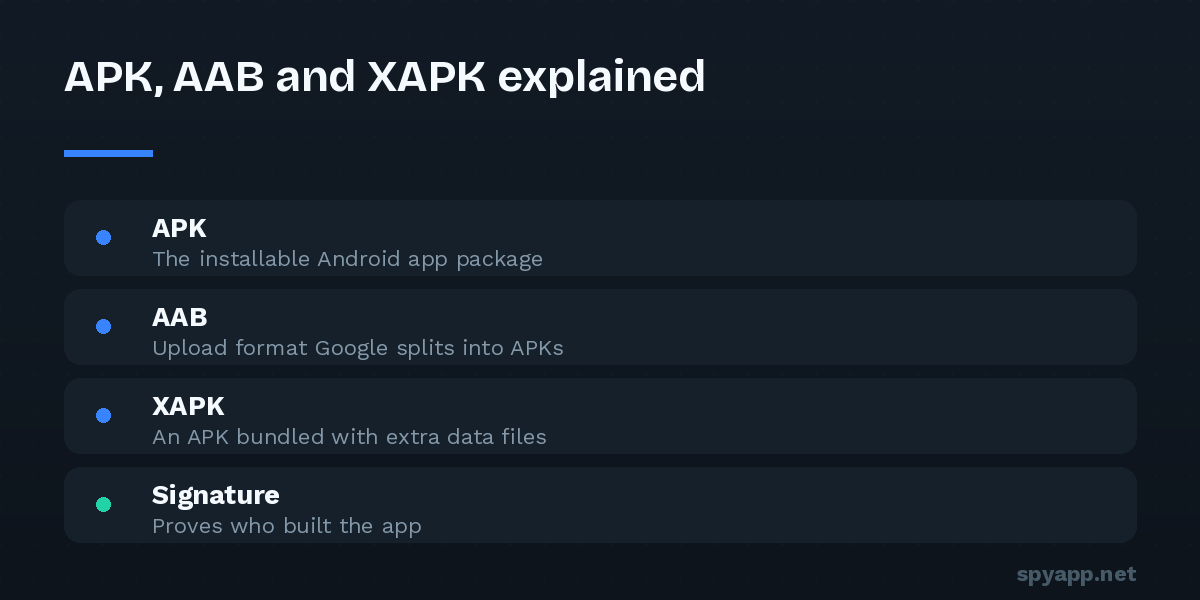
You may meet a few sibling formats. AAB (Android App Bundle) is what developers upload to the Play Store nowadays; Google turns it into APKs tailored to your device — you’ll never install an AAB directly. XAPK and APKM are bundle formats used by some repositories, wrapping multiple APKs (the app plus add-on parts) into one file; they need an installer app or can often be unpacked manually. Security-wise, treat them exactly like APKs: same checks, same caution.
Handling APKs safely: the five rules
- Prefer the Play Store when the app is available there. Sideload for a reason, not as a default.
- Judge the source first. Official developer sites and established repositories over forums, chat links and “mod” sites — and treat “premium unlocked” offers as the bait they usually are.
- Scan before you install. A free scan shows the verdict, the full permission list in plain English, and the signing certificate — the three things that expose a malicious file. It takes thirty seconds.
- Match permissions to purpose. Any permission the app’s function doesn’t explain is a question, and some — SMS access, Accessibility — are questions that need very good answers.
- Close the door afterward. Revoke the “Install unknown apps” permission once you’ve installed what you needed.
The bottom line
An APK is just the box an Android app ships in — but on Android, the box carries everything that matters: the app’s identity (the certificate), its intentions (the manifest and permissions), and its actual behavior (the code). The Play Store reads the box for you; the moment you sideload, that job is yours. The good news is that the box can be read in under a minute, for free — and once you can read it, the most common Android malware tricks simply stop working on you.