There is a category of spyware you can buy with a credit card, install in five minutes, and use to read another adult’s messages, track their location, and listen to their calls. It isn’t sold on the dark web. It’s sold on ordinary websites with pricing pages and customer support, marketed as “employee monitoring” or “parental control” — with a wink. Security researchers call it stalkerware, and it is the most personal form of malware that exists.
This article explains what stalkerware does, how it gets onto phones, how to recognize it, and — most importantly — how to respond in a way that puts your safety first. That last part matters more than with any other kind of malware, because with stalkerware the attacker isn’t a stranger on the internet. It’s usually someone who knows where you live.
What stalkerware actually does
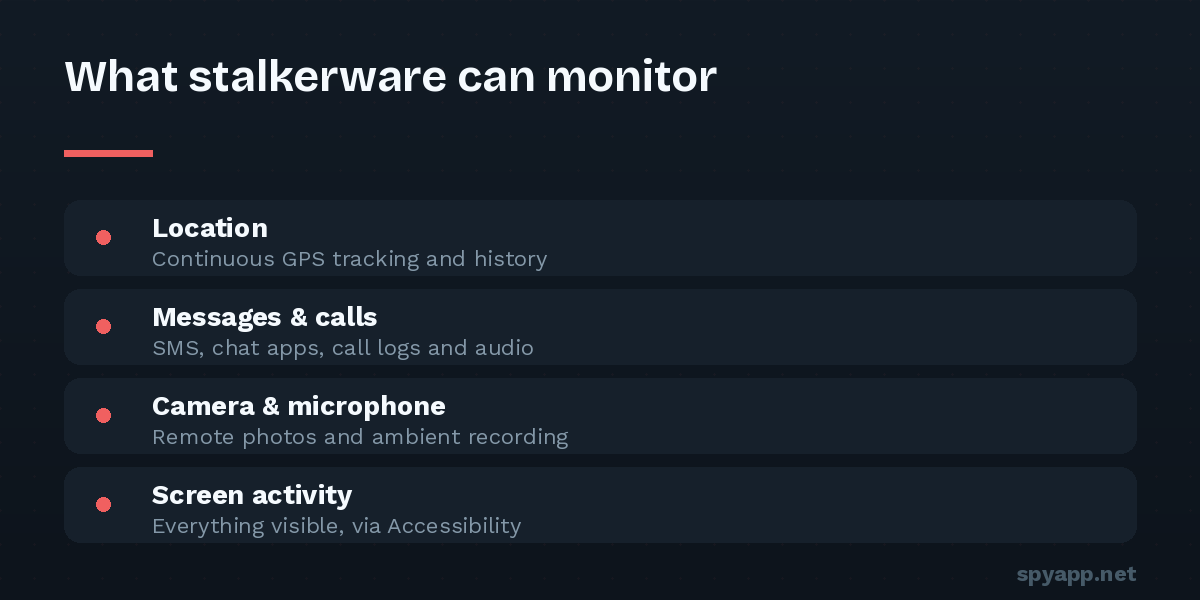
A typical commercial stalkerware product, once installed on a phone, reports some or all of the following to a web dashboard the installer logs into:
- Live GPS location and location history
- SMS messages and — via Accessibility abuse — chats in WhatsApp, Messenger, Telegram and other apps
- Call logs, and on some products, recorded calls and ambient audio from the microphone
- Photos, browsing history, calendar and contacts
- Keystrokes, including things typed and then deleted
Most products hide their icon after installation and disguise themselves in the app list under names like “Device Health” or “Sync Service”. Many give the installer remote controls — including remotely deleting the app to destroy evidence.
“Parental control” — the marketing loophole
Genuine parental-control software exists and serves a real purpose. The difference is transparency: legitimate products are visible on the device, announce themselves, and are designed for parents supervising young children — not for monitoring another adult in secret.
Stalkerware borrows the parental-control label as legal cover while building features that only make sense for covert surveillance of adults: hidden icons, disguised process names, tamper alerts that notify the installer if the app is touched. No child-safety purpose requires the app to hide from the person carrying the phone. When you see “undetectable” in the marketing, you are looking at stalkerware, whatever the header says.
It’s worth saying plainly: secretly installing monitoring software on another adult’s phone is illegal in most jurisdictions — it typically violates wiretapping, computer-misuse, or stalking laws, and evidence from a victim’s phone has supported criminal cases. The marketing fiction exists precisely because the honest description would be unsellable.
How it gets onto a phone
Stalkerware almost always requires physical access to an unlocked phone — typically five to ten minutes. The installer downloads an APK from the vendor’s site, grants the permissions, hides the icon, and hands the phone back. That access usually comes from intimacy: a partner who knows your PIN, a phone left charging overnight, a “let me set up your new phone for you.”
This is also why stalkerware is overwhelmingly an intimate-partner problem. The people with the access, the motive, and the interest in one specific person’s life are rarely strangers.
A second, smaller route: a “gift” phone that arrives pre-configured. If a controlling person insists you use a phone they set up, treat that phone as monitored.
The warning signs
Technical signs overlap with general spyware — battery drain, data usage, a warm idle phone, and above all unfamiliar entries in Settings → Accessibility and Device admin apps. Our guides to spyware warning signs and finding hidden apps walk through every check.
But with stalkerware, the strongest signal is usually behavioral: someone repeatedly knows things they shouldn’t. Where you were. Who you talked to. What you said in a private chat. Victims often doubt themselves for months because each incident has a plausible innocent explanation. The pattern is the evidence. If a specific person consistently has information that could only come from your phone, take that seriously — your intuition has already done the detection.
If you think your phone is monitored: safety first, removal second
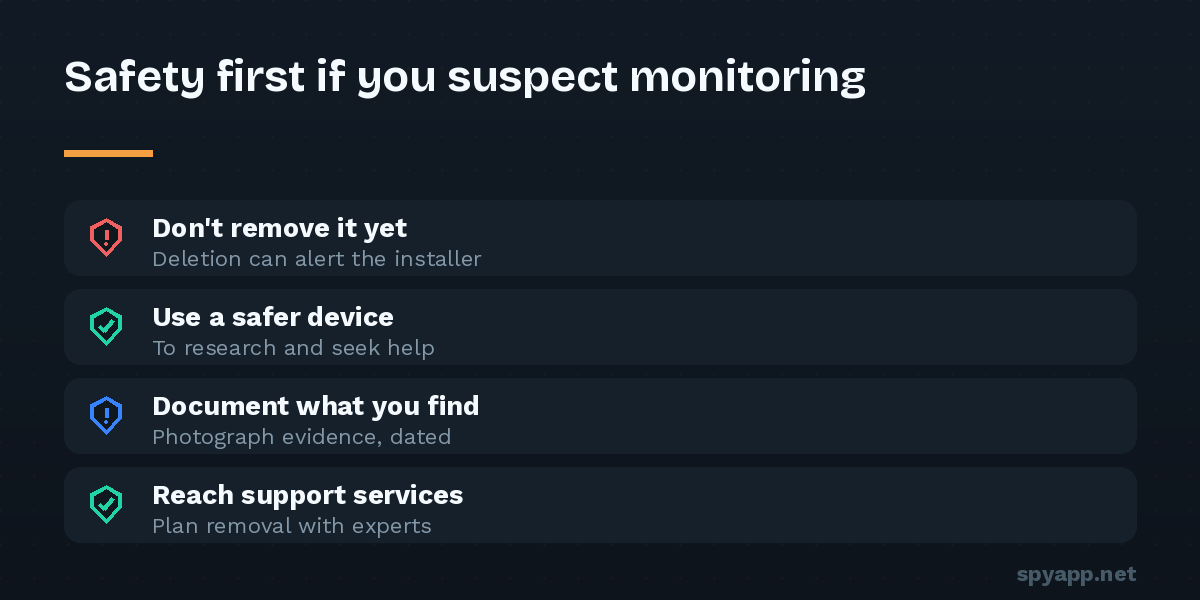
This is where stalkerware advice must differ from ordinary malware advice, and please read this part before touching anything.
Removing stalkerware is visible to the person monitoring you. Their dashboard goes quiet; many products actively alert the installer to removal attempts. In abusive situations, that moment — the abuser realizing they’ve lost access — can escalate risk. Security comes second to safety.
So, in order:
- Assess your situation honestly. If the likely installer is someone you fear, do not remove anything yet. Use a safer device (a friend’s phone, a library computer) for sensitive communication in the meantime.
- Talk to people who handle this every day. Domestic-violence hotlines and support organizations are familiar with stalkerware and can help you plan around it — including how removal timing fits into a broader safety plan. The Coalition Against Stalkerware (stopstalkerware.org) maintains a directory of organizations by country.
- Document before you delete. Photograph the app’s settings pages, its Accessibility and device-admin entries, and your dashboard findings with another camera. If you pursue legal action, evidence on the phone is far more useful intact — police can forensically image the device.
- When you’re ready to clean the phone, follow our step-by-step removal guide, or factory reset for certainty. Then change every important password from a clean device and switch two-factor authentication away from SMS.
- Close the door that was used. New PIN that nobody has seen, no fingerprints or face unlock entries that aren’t yours, and no more unlocked phone left alone with the person in question.
Checking a file you’re suspicious about
If you’ve located a suspicious APK — on the phone, in a downloads folder, or sent to you — you can get a concrete answer. Upload it to our free APK scanner: stalkerware families are flagged by signature, and the report shows the surveillance permissions and hidden-icon behavior in plain English. A SPYWARE verdict on a file someone put on your phone is no longer a feeling; it’s a fact you can act on.
The bigger picture
Antivirus vendors, researchers and advocacy groups have pushed stalkerware further into the open in recent years — many security apps now explicitly warn about it rather than politely calling it “monitoring software”, and prosecutions of vendors and users have happened. But the apps remain a credit-card purchase away, and the surest protection remains unglamorous: a PIN that is genuinely private, skepticism toward “undetectable monitoring” products marketed at worried partners, and the knowledge of which settings screens — Accessibility and device admin — reveal what’s really running on your phone.
If you take one thing from this article: if you believe you’re being monitored by someone close to you, you’re probably not paranoid, you’re probably right — and the safest first step is talking to a support organization, not deleting an app.