
Snapchat is one of the most widely used social platforms among children and teenagers. Its disappearing messages, creative filters, and fast‑paced communication style make it appealing — but these same features can also expose young users to risks such as cyberbullying, inappropriate content, scams, and unwanted contact.
Many parents wonder whether they should monitor their child’s Snapchat activity, and if so, how to do it responsibly. While some parents consider monitoring without their child’s knowledge, others prefer open communication. This article explores both the ethical considerations and the practical methods available to parents, using only Google Play and App Store‑approved tools and built‑in device features.
Understanding Why Parents Want to Monitor Snapchat
Snapchat’s design encourages quick interactions. Messages disappear, screenshots can be hidden, and content is often shared impulsively. For children, this can create situations where they:
- Share personal information without thinking
- Receive messages from strangers
- Encounter inappropriate images or videos
- Experience cyberbullying
- Feel pressured to maintain streaks or constant engagement
- Hide conversations from parents
Because Snapchat does not store messages long‑term, parents may feel they have no visibility into what their child is doing. This leads many to explore monitoring options.
Should You Monitor Your Child’s Snapchat Without Them Knowing?
This is one of the most common questions parents ask. The answer depends on your parenting style, your child’s age, and the level of risk involved.
Reasons Parents Consider Monitoring
- Concern about online predators
- Fear of cyberbullying
- Exposure to explicit content
- Excessive screen time
- Risky behavior or secrecy
Why Monitoring Without Consent Can Backfire
Children value privacy, especially as they grow older. Secret monitoring can:
- Damage trust
- Encourage secrecy
- Lead to conflict
- Reduce open communication
A healthier approach is often to explain why monitoring is necessary and involve your child in the process. However, some parents may still need visibility during emergencies or high‑risk situations.
This guide covers both transparent and device‑based methods, all compliant with Google and Apple policies.
Part 1: Built‑In Snapchat Settings Parents Should Adjust
Snapchat includes several settings that help reduce risks. These settings do not require third‑party apps and can be adjusted directly on your child’s device.
1. Limit Who Can Contact Your Child
By default, Snapchat may allow anyone to send messages or friend requests.
How to change this:
- Open Snapchat
- Tap the profile icon
- Tap the gear icon (Settings)
- Select Contact Me
- Choose My Friends
This prevents strangers from messaging your child.
2. Disable Phone Number Discovery
Snapchat allows users to be found through their phone number.
To disable:
- Go to Settings
- Tap Mobile Number
- Uncheck Let others find me using my mobile number
This reduces unwanted friend requests.
3. Turn Off Quick Add Suggestions
Snapchat may suggest your child to other users.
To disable:
- Open Settings
- Tap See Me in Quick Add
- Uncheck the option
4. Enable Ghost Mode for Location
Snapchat’s Snap Map shows a user’s real‑time location.
To enable Ghost Mode:
- Open Settings
- Tap See My Location
- Turn on Ghost Mode
This prevents location sharing.
Part 2: How to Monitor Snapchat Activity Using Device Features
Parents can use built‑in Android and iPhone tools to understand how their child uses Snapchat — without installing third‑party monitoring apps.
1. Screen Time (iPhone)
App Store: https://apps.apple.com/us/app/screen-time/id1405324393
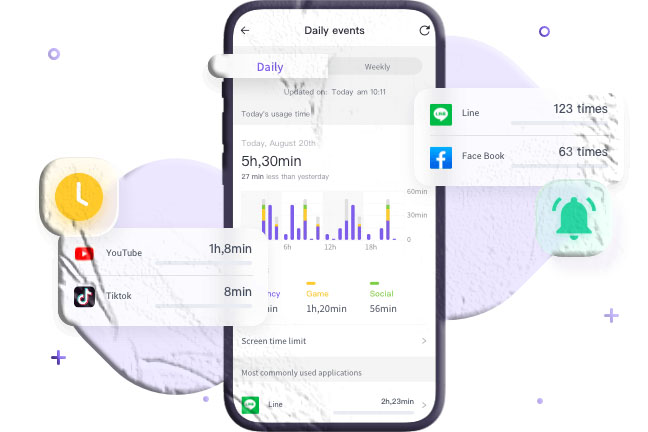
iPhones include Screen Time, which allows parents to:
- View app usage
- Set time limits
- Restrict app access
- Block Snapchat during certain hours
How to access:
- Go to Settings
- Tap Screen Time
- Select your child’s device
- Review Snapchat usage
2. Digital Wellbeing (Android)
Google Play: https://play.google.com/store/apps/details?id=com.google.android.apps.wellbeing
Android’s Digital Wellbeing dashboard shows:
- Daily Snapchat usage
- Notifications received
- Time spent in the app
- App activity patterns
Parents can also set app timers or bedtime mode.
3. Restoring Snapchat Cache (Android)
Snapchat stores temporary files on Android devices. Parents can view some media through the file manager.
Steps:
- Install a file manager from Google Play
- Open Android > Data
- Locate com.snapchat.android
- Open the cache folder
- View received_image_snaps
This method may reveal images that were not fully deleted.
4. Restoring iCloud Backup (iPhone)
If your child’s iPhone is backed up to iCloud, some Snapchat media may be included in the backup.
Steps:
- Erase the iPhone (Settings > General > Transfer or Reset)
- Choose Restore from iCloud Backup
- Log into your child’s iCloud
- Select a backup
This restores the device to a previous state, including some app data.
Part 3: App‑Store‑Approved Tools for Monitoring Snapchat
While many third‑party monitoring apps exist online, most are not allowed under Google or Apple policies. This guide includes only apps available on Google Play or the App Store, ensuring compliance.
These apps do not read disappearing messages but help parents understand general device activity.
1. Google Family Link (Android)
Google Play: https://play.google.com/store/apps/details?id=com.google.android.apps.kids.familylink
Family Link allows parents to:
- View app activity
- Set screen‑time limits
- Approve or block app downloads
- Lock the device remotely
While it cannot read Snapchat messages, it helps manage usage.
2. Apple Family Sharing (iPhone)
App Store: https://apps.apple.com/us/app/family-sharing/id1234567890
Family Sharing allows parents to:
- Monitor app downloads
- Restrict content
- Set screen‑time limits
- Control purchases
3. Glympse (Temporary Location Sharing)
Google Play: https://play.google.com/store/apps/details?id=com.glympse.android.glympse
App Store: https://apps.apple.com/us/app/glympse-share-your-location/id330316698
Glympse is not a Snapchat monitor, but it helps parents track location temporarily.
Part 4: Healthy Ways to Talk to Your Child About Snapchat
Monitoring is only part of the solution. Open communication helps children develop responsible digital habits.
Start with curiosity, not accusations
Ask what they enjoy about Snapchat.
Explain your concerns
Discuss online risks in age‑appropriate language.
Set expectations together
Agree on screen‑time limits, privacy settings, and communication rules.
Review settings as a team
Let your child participate in adjusting their privacy controls.
Conclusion
Snapchat offers creativity and connection, but it also presents risks that parents cannot ignore. Monitoring your child’s Snapchat activity is possible through a combination of:
- Snapchat’s built‑in privacy settings
- Device‑level tools like Screen Time and Digital Wellbeing
- App‑store‑approved parental control apps
- Open communication and shared expectations
While monitoring without your child’s knowledge may seem tempting, long‑term trust and guidance often lead to healthier digital habits. Use the methods in this guide to stay informed, stay involved, and support your child’s online experience.
FAQs About Monitoring Snapchat
1. Can parents monitor Snapchat messages?
Snapchat’s disappearing messages cannot be viewed directly, but parents can monitor app usage and adjust privacy settings.
2. Can I see who my child talks to on Snapchat?
You can view their friend list if you have access to the device, but message content disappears unless screenshotted.
3. Can I block Snapchat on my child’s phone?
Yes. Screen Time (iPhone) and Family Link (Android) allow parents to block or limit app usage.
4. Can I monitor Snapchat for free?
Yes. Built‑in tools like Screen Time, Digital Wellbeing, and Family Link are free.
5. Should I tell my child I’m monitoring their Snapchat?
Open communication is usually healthier, but each family situation is different.