
Introduction
Smartphones are an essential part of modern life, but excessive app usage can lead to distractions, reduced productivity, and even unhealthy digital habits. For parents, monitoring children’s app usage is especially important to prevent addiction to gaming or social media.
App usage trackers provide detailed insights into how much time is spent on each app, allowing you to set limits, block apps, and encourage healthier digital behavior. In this guide, we’ll explore the best app usage trackers for Android and iPhone, highlighting their features, pros, cons, and pricing.
Best App Usage Trackers for Android
1. App Usage (AZSoft Technology Inc.)
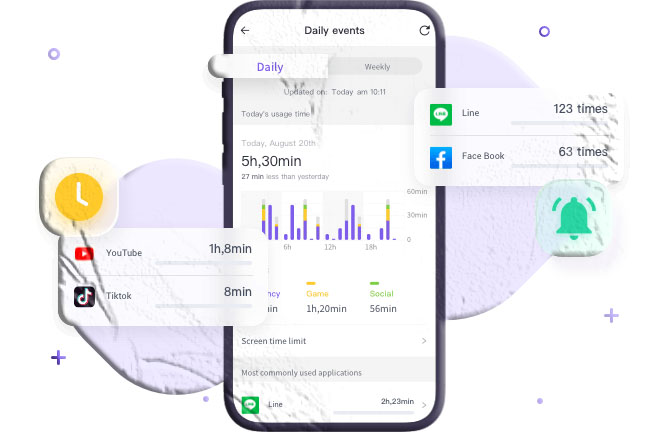
A simple yet effective tracker that provides detailed timelines of app activity.
Key Features
- Timeline view sorted by most-used apps.
- Category breakdown (entertainment, gaming, etc.).
- Location history for each app.
Pros
- Heatmap visualization.
- Detailed app history.
Cons
- Cannot track usage when the screen is off.
Pricing: Free
2. StayFree
StayFree combines productivity tools with app usage tracking.
Key Features
- Graphical reports of app usage.
- Set app limits and restrictions.
- Block unwanted content with keywords.
- Advanced features: PIN protection, usage goals, notification blocking.
Pros
- Detailed analytics.
- Keyword blocking.
Cons
- Occasional minor bugs.
Pricing: Free
3. SpyApp Parental Control
A parental control app with advanced monitoring features.
Key Features
- Real-time app usage tracking.
- Set daily limits and block apps.
- Remote camera access.
- Cyberbullying monitoring.
Pros
- User-friendly interface.
- Detailed analytics.
Cons
- Requires strong internet for remote monitoring.
Pricing: $9.99/month (premium)
4. YourHour
Popular worldwide, YourHour offers creative ways to monitor and reduce screen time.
Key Features
- Daily summaries of app usage and unlock counts.
- Categorizes users into six groups (addicted, dependent, etc.).
- Weekly and monthly reports.
- Challenges like “No Phone” mode.
Pros
- Reports exportable in PDF/Excel.
- Available in 21 languages.
Cons
- Quit button may malfunction during challenges.
Pricing: Free
5. Screen Time (Iridium Dust Limited)
Designed to help users break unhealthy smartphone habits.
Key Features
- Daily and weekly app usage statistics.
- App lock with time limits.
- Password protection.
Pros
- Category view for most-used apps.
- Clear usage reports.
Cons
- Some reports of inaccurate tracking.
Pricing: Free
Best App Usage Trackers for iPhone
1. Flipd
Flipd motivates users to focus on productivity and personal growth.
Key Features
- Custom productivity timers.
- Detailed statistics and insights.
- Focus music and background sounds.
- Online study rooms for motivation.
Pros
- Calendar visualization.
- Focus mode with groups.
Cons
- Notification settings reset after lock mode.
Pricing: $5.99/month (premium)
2. OffScreen
A versatile app with multiple focus modes and challenges.
Key Features
- Focus modes: Pomodoro, Countdown, Time Accumulation.
- Daily detox and sleep challenges.
- Detailed activity reports by category.
- Dashboard with average usage and sleep time.
Pros
- Restrict app usage with OFF-Time.
- Data visualization and sharing.
Cons
- High battery consumption.
Pricing: $4.49 (pro version)
3. WaRadar
Designed for families, WaRadar tracks multiple profiles.
Key Features
- Daily usage reports with start/end times.
- Add multiple family profiles.
- Instant notifications when apps are accessed.
- Graphical visualization of usage.
Pros
- Real-time notifications.
- Easy family management.
Cons
- No free trial.
Pricing: $18.49/month
Comparison Table: 8 Best App Usage Trackers
| App Name | Platform | Pricing | Key Features | Pros | Cons |
|---|---|---|---|---|---|
| App Usage (AZSoft) | Android | Free | Timeline view of apps, category breakdown, location history | Heatmap visualization, detailed app history | Cannot track usage when screen is off |
| StayFree | Android | Free | Graphical reports, app limits, keyword blocking, PIN protection | Detailed analytics, block apps/content | Minor bugs reported |
| SpyApp Parental Control | Android | $9.99/month (premium) | Real-time app usage, set limits, remote camera, cyberbullying monitoring | User-friendly, advanced parental features | Requires strong internet for remote monitoring |
| YourHour | Android | Free | Daily summaries, unlock counts, usage categories, challenges | Export reports (PDF/Excel), multilingual support | Quit button issues during challenges |
| Screen Time (Iridium Dust) | Android | Free | Daily/weekly stats, app lock, password protection | Clear reports, category view | Some false usage times reported |
| Flipd | iPhone | $5.99/month (premium) | Productivity timers, detailed analytics, focus music, study rooms | Calendar visualization, focus mode with groups | Notification settings reset after lock mode |
| OffScreen | iPhone | $4.49 (pro version) | Focus modes (Pomodoro, Countdown), detox challenges, detailed reports | Restrict app usage with OFF-Time, data visualization | High battery consumption |
| WaRadar | iPhone | $18.49/month | Daily usage reports, family profiles, instant notifications, graphical visualization | Real-time alerts, multi-profile tracking | No free trial |
How to Check App Usage on Your Phone
On Android
Use the built-in Digital Wellbeing feature:
- Go to Settings → Digital Wellbeing & Parental Controls.
- Tap the three-dot menu → Manage your data.
- View app usage reports and set focus modes.
On iPhone
Use the built-in Screen Time feature:
- Go to Settings → Screen Time.
- Tap Screen Time to view daily reports.
- Set app limits via App Limits.
Why You Need an App Usage Tracker
- Stay Motivated: Track and limit distractions to focus on goals.
- Balance Work and Life: Reports highlight time spent on social apps vs. productivity.
- Prevent Addiction: Helps children avoid excessive gaming or social media use.
- Set Achievable Goals: Create daily or weekly targets for healthier digital habits.
Conclusion
App usage trackers are essential tools for managing digital wellbeing. Whether you’re a parent monitoring your child’s screen time or an individual aiming to boost productivity, these apps provide valuable insights and controls.
For Android, SpyApp Parental Control offers advanced monitoring, while iPhone users may prefer Flipd or OffScreen for productivity-focused tracking.
FAQs About App Usage Trackers
- Are app usage trackers free? Many are free, but advanced features often require subscriptions.
- Can kids bypass app usage trackers? Some apps are harder to bypass, but tech-savvy teens may find workarounds.
- Do iPhones have built-in app usage tracking? Yes, via the Screen Time feature.
- Which app is best for families? WaRadar and SpyApp are strong options for monitoring multiple profiles.
- Can app usage trackers improve productivity? Yes, they help reduce distractions and encourage focus.