
Introduction
Losing a phone can be stressful, especially when it contains personal data, important contacts, and daily essentials. Fortunately, modern smartphones are equipped with built‑in tools and linked account features that make it possible to track and recover a lost device. Whether you’re using Android or iPhone, your phone number and associated accounts (Google, Apple, or carrier services) can help you locate your device quickly.
This guide explores how to find your phone via linked accounts and phone number, along with other effective recovery methods.
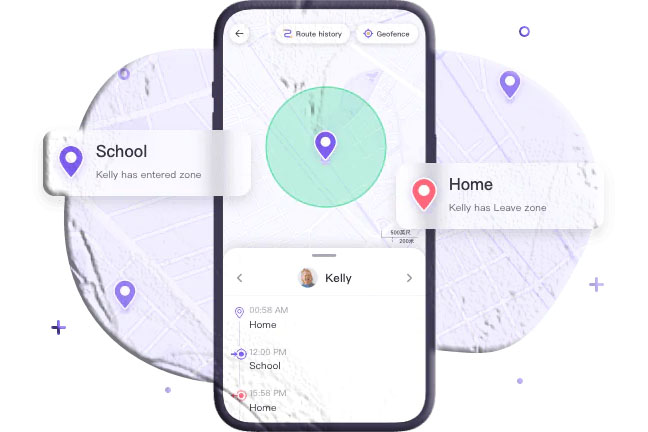
Can I Locate My Phone by Phone Number?
Yes, you can locate your phone using its number, but not directly. Instead, the phone number is linked to accounts such as Google or Apple, which provide location services. For this to work:
- Your device must have location services enabled.
- The phone must be linked to a Google or Apple account.
- Permissions for tracking must be granted beforehand.
Third‑party apps also allow location sharing via phone numbers, but they require prior setup and consent.
3 Ways to Find Your Phone by Number (via Linked Accounts)
1. Google Find My Device (Android)
Google’s Find My Device is the most reliable way to track Android phones. Steps:
- Visit google.com/android/find.
- Sign in with your Google account linked to your phone number.
- Select the lost device from the list.
- View its location on the map.
- Use features like Ring, Lock, or Erase to secure your phone.
2. iCloud Find Devices (Apple)
Apple’s Find My iPhone works through iCloud and linked Apple IDs. Steps:
- Log in to your iCloud account.
- Select the lost device from your list.
- View its location on the map.
- Enable alerts or play sound to locate it.
3. Third‑Party Tools (Consent‑Based)
Apps like iMapp allow location sharing via phone numbers. Steps:
- Install iMapp on a trusted device.
- Enter the lost phone’s number and send an invite.
- The phone owner must accept the request.
- Location appears on the trusted device.
Note: This method requires active consent and is best for family or friends, not lost or stolen phones.
Other Effective Ways to Find Your Phone
- Voice Assistants: Use Alexa, Siri, or Google Assistant to ring or locate your phone.
- Connected Devices: Smartwatches, tablets, or AirPods linked to your phone can help track it.
- GPS Phone Locator Apps: Pre‑installed apps like SpyApp Parental Control allow real‑time tracking if set up beforehand.
- Carrier or Police Assistance: Carriers can use IMEI numbers to block or trace devices, often requiring police involvement.
Frequently Asked Questions
1. Can I find my Samsung phone using IMEI? Yes, carriers and police can use IMEI to block or trace devices, but you cannot track it directly yourself.
2. Can I find my phone if location is off? You’ll only see the last known location before it was disabled.
3. Can I track my phone if it’s turned off? No, but services like Google or iCloud may show the last active location.
4. What if my phone battery is dead? You cannot track it in real time, but last known location data may still be available.
5. Can airplane mode block tracking? Yes, airplane mode disables all connections, preventing real‑time tracking.
6. Can I track a factory‑reset phone? Factory reset removes linked accounts, but IMEI tracking through carriers or police is still possible.
Conclusion
Finding a lost phone is easier today thanks to linked accounts and built‑in tracking tools. Whether you use Google Find My Device, iCloud Find Devices, or connected smart devices, these solutions can help you recover your phone or at least secure your data. If recovery isn’t possible, carriers and law enforcement can assist with IMEI tracking and device blacklisting.
By enabling location services, linking accounts, and setting up recovery tools in advance, you’ll always be prepared to locate your device when it goes missing.